The post Ransomware… A Cyberthreat That Will Keep You Up At Night appeared first on General Computer Consulting, LLC.
]]>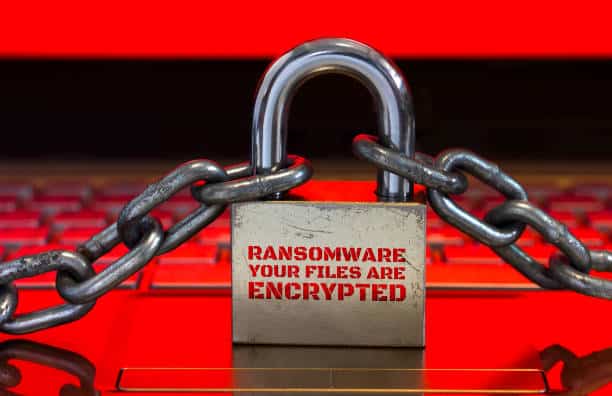
Whether you're an IT professional or an internet user, this threat will surely keep you up at night. This increasingly popular cyberattack can deal a body blow to any business. From business disruption to the recovery process, ransomware is a nightmare.
To figure out the best way to protect your systems and data from bad actors using ransomware, it’s important to understand why it’s a big deal and how it infects your systems to figure out how you can fight back and keep it from damaging your business.
First, take a look at the facts about ransomware that you need to read to get up to speed, because it’s one cybersecurity test that you don’t want to fail.
How Big of a Threat is Ransomware?
Ransomware is extremely common, growing it a top cybersecurity concern since 2020. Organizations need to be aware of the danger. They should be ready against it with a cybersecurity plan in place for the future that’s ready to handle this growing threat.
- FBI reported a 300% increase in cybercrimes like ransomware since
- Ransomware attacks have increased over 97 percent in the past two years.
- A new cyberattack is attempted every 39 seconds.
- 51% of businesses have been impacted by ransomware in the last year.
How can Ransomware Contaminate my Systems?
To defend against ransomware, you need to understand where it comes from, how it reaches you, and how it infects your systems. Ransomware software is easily available on the Dark Web. It’s so easy to use that you don’t need to be a sophisticated hacker to deploy successful attacks.
- 65% of ransomware infections are delivered via phishing.
- 85% of ransomware targets Windows systems.
- 94% of ransomware-related phishing emails use malicious file attachments as the payload or infection source.
- 60% of the information available on the Dark Web could potentially harm enterprises through hacking, spear phishing, and ransomware attacks.
- 75% of companies infected with ransomware were running up-to-date endpoint protection.
What Happens If We’re Infected with Ransomware?
One ransomware hit is a cybersecurity disaster that can cripple your business. Recovery operations like restoring your data and systems through backups are expensive, as are complications like regulatory headaches, harm to business relationships, damaged client confidence, and downtime. If you pay the ransom it’s a huge expense, and there’s no guarantee that the cybercriminals didn’t copy or sell your data anyway.
- 85% of IT professionals report ransomware as the #1 threat to businesses.
- One in five SMBs report that they have fallen victim to a ransomware attack.
- The cost of downtime is on average 23 times greater than the ransom amount
- The average ransom demand is $5,900 compared to the average cost of downtime at $141,000.
- 34% of businesses hit with ransomware took a week or more to regain access to their data
With all the data we have provided, you should know by now that taking ransomware lightly is a big mistake. Every company must take this threat seriously and put strong protections in place to avoid falling victim to a ransomware attack. But ransomware is not a problem without solutions. Paul General, CEO/Cybersecurity Specialist, and the rest of his team at General Technologies are providing various solutions to businesses in need of cybersecurity programs, peace of mind, and the protection they need from different cyberattacks.
Plan your cyber strategy now! Contact us today.
The post Ransomware… A Cyberthreat That Will Keep You Up At Night appeared first on General Computer Consulting, LLC.
]]>The post Data Phishing Awareness appeared first on General Computer Consulting, LLC.
]]>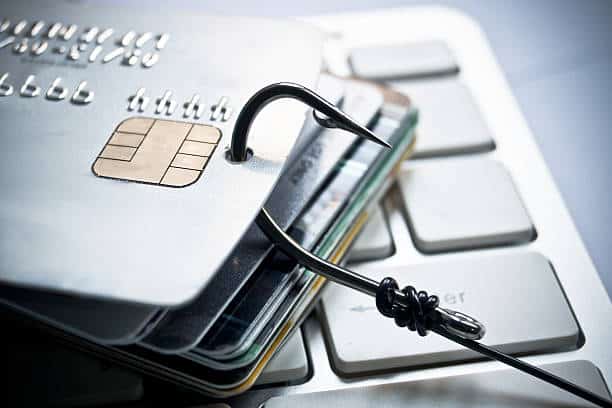
Malware and ransomware are the most dangerous results of phishing. They can destroy infrastructure, harm research and development efforts, and they can even shut down production lines and drive a business into bankruptcy.
Unprepared employees who fall for this bait can easily give these criminals the keys to the kingdom, enabling them to install malware or ransomware which causes them to steal data, or cause other harm while flying under the radar.
Adding layers of security will be of great help to strengthen your shield against phishing attacks. Below are the 6 Tips for Data Phishing Awareness:
- Verify sender information: Check the sender's email address for legitimacy. Be cautious of emails from unknown or suspicious addresses.
- Use Two-Factor Authentication: Enable 2FA for added security on your accounts.
- Educate yourself and others: Learn about common phishing tactics and share tips with friends, family, and co-workers.
- Don't click unknown links: Avoid clicking links or downloading attachments from unfamiliar sources.
- Beware of urgent requests: Be wary of emails or messages that create a sense of urgency or pressure you to act quickly.
- Report suspicious activity: If you suspect phishing report it to the right authorities promptly.
Paul General, CEO and Cybersecurity Specialist of General Technologies can provide your business with a Cybersecurity Risk Assessment to expose your current security gaps and network vulnerabilities. This assessment will identify your current weak spots and provide recommendations on the best way to manage your risk moving forward.
Get ahead of cybercriminals! Start planning your cyber strategy now!
The post Data Phishing Awareness appeared first on General Computer Consulting, LLC.
]]>The post Beware of Phishing… Get to know their tricks! appeared first on General Computer Consulting, LLC.
]]>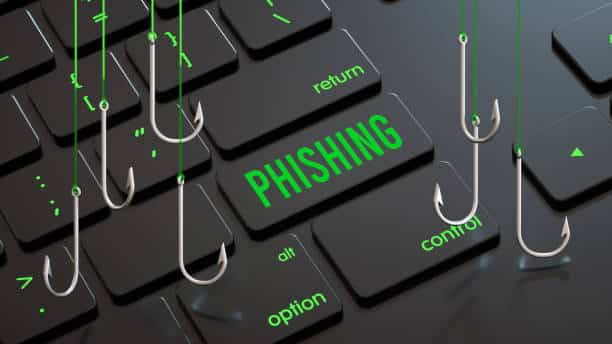
Overall cybercrime has been steadily increasing each year, but phishing risk has increased exponentially in the past years. Out-of-control world events, economic challenges, technological advancement, and Dark Web growth have all come together to create ideal conditions for phishing-related cybercrime to thrive – and cybercriminals have been quick to capitalize on that opportunity.
Why Phishing is on the top of the list?
More than 60% of cybercriminals use phishing as their primary form of attack. Why? Phishing is cheap and effective. Not only is it the perfect weapon to use against businesses in general, but it’s especially effective against companies that are supporting a remote workforce and relying on email as their primary form of communication.
Phishing is today’s biggest cybersecurity threat. Just one attack can devastate a company – and the chance of a business experiencing a phishing attack has never been higher.
Phishing includes:
- Credential Theft
- Social Engineering
- Spear Phishing and Whaling
- Business Email Compromise (BEC)
- Ransomware and Malware
- Smishing and Vishing
Phishing attacks statistics:
- More than 60% of cybercriminals use phishing as their primary form of attack
- Over 80% of all cyberattacks are phishing based
- A new phishing attack is launched every 39 seconds
- 90% of incidents that end in a data breach start with a phishing email
- The average duration of business interruption from a cyberattack has increased by around 50%
- Ransom payment demands increased by more than 30% in the last 12 months
- In a year-over-year comparison, downtime costs from cyberattacks have climbed by 75%
- More than 60% of the data available on the Dark Web can harm businesses
- 43% of remote workers have made cybersecurity errors that endangered their company
- An estimated 55% of remote workers rely on email as their primary form of communication
Rapidly growing cybercrime risks are not slowing down, especially now that more businesses were able to get back on their feet after the devastating pandemic and some have continued embracing the remote working setup. Having the right tool will empower your company to mitigate phishing threats and transform your employees into your biggest cybersecurity asset. Paul General - CEO/Cybersecurity Specialist and his team at General Technologies can provide you with the program that best suits your company's needs in terms of cybersecurity.
Start creating your cyber strategy NOW! Contact us to learn more.
The post Beware of Phishing… Get to know their tricks! appeared first on General Computer Consulting, LLC.
]]>The post 7 Internet Safety Tips appeared first on General Computer Consulting, LLC.
]]>
It is said that an average person spends about 6 hours and 58 minutes per day connected to the internet. We spend time online to work, learn, and communicate with friends and family. Typically, the more time you spend online goes hand-in-hand with the number of accounts and devices. Have you thought about how this exposes you to a greater risk of cyberattacks due to your frequent online presence?
Here are the best practices to keep you away from cyber criminals:
- Don't give out personal information: Avoid online phishing attempts by keeping your personal information private. Don't give out your phone number, social security information, or banking info to someone you don't know.
- Create complex passwords: Create complex passwords with a combination of letters, numbers, and symbols. Consider using a password manager to create and keep track of your passwords.
- Check website reliability: Before purchasing anything on a website ensure that it is safe. You can do this by checking if it has a small lock icon or "https" before the URL. The "s" in "https" stands for "secure" and the lock means it is confirmed as a safe site by your browser.
- Avoid suspicious online links: Be careful of websites or emails containing suspicious links. Some websites may use quizzes, freebies, or salacious stories to get you to click on them and then steal your personal information.
- Keep your computer updated: Computer developers release updates to keep products safe. Keep your device software up to date so it is not vulnerable to malware.
- Monitor app permissions: Learn the privacy settings for any device, app, or service you use. Some apps will ask for permission to access photos and other personal information. Stay informed so you are not sharing anything you don't want to.
- Be cautious with public WiFi: Be careful when you use public WiFi. When accessing public networks, anyone can use unsecured networks to distribute malware and access private information.
Following these recommendations will help you mitigate your risk against the rising cyberattacks on both business and personal accounts. Phishing, malware, and ransomware are just some of the common cyberattacks to look out for. Paul General, CEO and Cybersecurity Specialist of General Technologies, can offer your team a variety of cybersecurity programs that will protect your business from any type of cyber attack. We’ll look into your dark web breaches, open ports in your network, jeopardized passwords, employee security, and a whole lot more.
Learn about the underlying gaps that cybercriminals are waiting to exploit. Let’s start with a cyber strategy session where we’ll discuss your current security posture and our plan to move you into a secure future.
The post 7 Internet Safety Tips appeared first on General Computer Consulting, LLC.
]]>The post A Guide In Deploying Security Awareness Training appeared first on General Computer Consulting, LLC.
]]>
Security Awareness Training is a powerful, affordable secret weapon that empowers your business to defeat cybercrimes. It may not be an exciting solution to your cybercrime problems or it may not thrill you with the latest innovation but what you need to know is - IT WORKS!
An organization needs an assessment to be conducted and a training strategy should be developed and approved. This strategic planning document identifies implementation tasks to be performed in support of established business security training goals.
STEP 1: DEVELOP YOUR PROGRAM STRUCTURE TO FIT YOUR NEEDS
Every organization has a unique set of resources and limitations when designing the structure of a security awareness training program. Your company may be required to adhere a certain regulated procedures for cyber threats that are not required in other organizations. To determine what program structure your business needs, check out the following questions:
- Who has the skills to implement a program?
- Who has the bandwidth to handle this project?
- How will implementation work?
- Are there any barriers to consider that must be accounted for?
- How much funding do you have for the program?
STEP 2: CONDUCT A RISK ASSESSMENT
Determining your program’s strategy, requirements, and goals centered around knowing what risks you’re training employees to avoid and what compliance procedures you want them to follow. To assess your company, check out the following details below:
- List recent security incidents, their origin, and their consequences.
- Be sure to include security and compliance needs for everyone from interns to the C-suite in your assessment.
- Determine if there are unique needs for training employees or executives based on job type, duties, and risks.
- Review any existing assessments from regulators, oversight bodies, internal surveys, and similar tools.
STEP 3: DEVELOP YOUR TRAINING STRATEGY
This is the part where you gather all of the results of your research into a working document that systemizes your strategy. Be sure to include these elements:
- Available funding and resources, including people and technology, will be used in the effort.
- Your program’s exact, defined goals.
- Your target audiences, the composition of your training groups, how to document their feedback, and how to record their learning accomplishments.
- The courses or training types that are mandatory and optional for each group, how you will deliver them, and the measure of training.
- How you’ll wrap up a phase or program including evaluating training materials and procedures.
According to a study, 90% of cybersecurity professionals expect a dramatic increase in cybersecurity risk from new cybercrime technology. Providing your employees with a Security Awareness program will not only equip them, but most importantly they will become a big asset to your company in implementing cybersecurity.
Paul General, CEO/Cybersecurity Specialist, and his team at General Technologies have been providing cybersecurity assistance to small and medium-sized businesses. With the variety of cybersecurity programs we can offer, your business will get the best solution to your cybersecurity issues.
Plan your cyber strategy now! Contact us!
The post A Guide In Deploying Security Awareness Training appeared first on General Computer Consulting, LLC.
]]>The post Don’t get reeled in! Data Phishing Awareness appeared first on General Computer Consulting, LLC.
]]>
Business owners and their employees need to be aware of phishing as it is one of the most common threats in today’s digital landscape. In everything you do online, always keep in mind that phishing may be lurking “just around the corner” of your computer. Think before you click! Be observant so you can spot phishing emails before it's too late.
What is Phishing?
Phishing refers to an attempt to steal someone’s confidential information. Typically credentials, bank account details, credit card numbers, SSNs and other related personal information is what they are after. If you fall victim to phishing attacks, cybercriminals can gain access to your personal accounts, steal more of your data, and wipe out your bank account.
Adding layers of security will go a long way in protecting sensitive data. We have tailored 6 basic tips in spreading Data Phishing Awareness:
- Verify sender information: Check the sender's email address for legitimacy. Be cautious of emails from unknown or suspicious addresses.
- Use two-factor authentication: Enable 2FA for added security on your accounts.
- Educate yourself and others: Learn about common phishing tactics and share tips with friends and family.
- Don't click unknown links: Avoid clicking links or downloading attachments from unfamiliar sources.
- Beware of urgent requests: Be wary of emails or messages that create a sense of urgency and pressure you to act quickly.
- Report suspicious activity: If you suspect phishing, report it to the right authorities promptly.
The saying "Prevention is better than cure" applies to protecting your sensitive data. Putting together different tools and programs is crucial in preventing cybercriminals from getting into your network. Paul General, CEO and Cybersecurity Specialist of General Technologies has witnessed different damages caused by phishing attacks. Our team can help your organization mitigate the risk.
Plan ahead and start your cyber strategy before it’s too late!
The post Don’t get reeled in! Data Phishing Awareness appeared first on General Computer Consulting, LLC.
]]>The post CYBERSECURITY: IDENTITY THEFT appeared first on General Computer Consulting, LLC.
]]>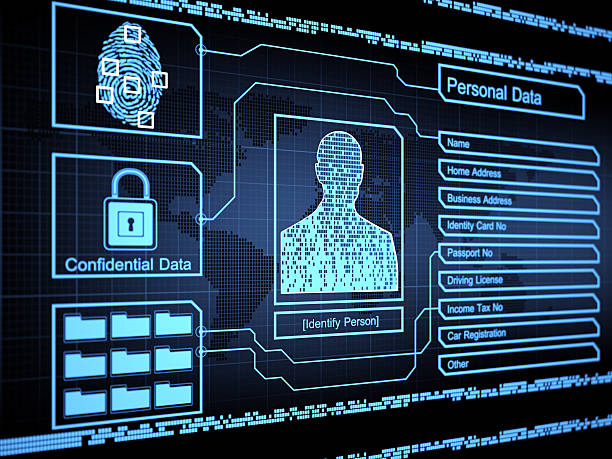
Identify theft is a crime in which attackers use personal or financial information from a victim to commit fraud and/or unauthorized access. Identity theft occurs in different ways where victims are left devastated by the damage not only to their finances but also to their reputation.
How does identity theft work?
- Identity theft is often linked to phishing or other social engineering attacks. Criminals use the victim's sensitive information to gain money or goods.
- There are several forms of identity theft, but the most common and dangerous is financial.
- Various cybersecurity tools and programs can help users keep track of their credit reports, unauthorized use of Social Security Numbers, and other financial activity.
- Recovering from identity theft is not a "walk in a park" scenario. According to The Federal Trade Commission (FTC), it takes roughly 6 months and 200 hours of work to recover from an identity theft.
Identity Workflow:
THE SCAM
A phishing attack that's designed to capture someone's password or other credentials.
THE GOAL
To acquire credentials that allow cybercriminals to log into company systems and applications. Highly privileged passwords that belong to administrators or executives are specially prized.
THE SETUP
Credential theft can happen through email, SMS text, instant messaging - even by phone. This slippery foe can wear many disguises like:
A message that directs the recipient to enter a password on a webpage
An alert that it's time to update your password
An inquiry about a password that's needed for a seemingly routine task
A notice that an app has changed, and you'll need to create a new account
THE DAMAGE
Cybercriminals use the stolen credentials to walk right in the front door of a company, enabling them to install malware, steal data, or gain access to systems without raising suspicion until it's too late.
Cybercrimes are not going away anytime soon. That is why our CEO and Cybersecurity Specialist - Paul General along with his team at General Technologies are continuously working to stay on top of these bad actors making sure that each company we're working with is fully protected from any form of attacks.
Get your cyber strategy in line now! Contact us today!
The post CYBERSECURITY: IDENTITY THEFT appeared first on General Computer Consulting, LLC.
]]>The post Data Encryption… GOOD or BAD? appeared first on General Computer Consulting, LLC.
]]>
With different cyber attacks from all over the web, different channels, and in many forms... it is imperative that protection must be in place. Passwords, multi factor authentication, antivirus and malware protection are some of the ways to protect your data from hackers. However, with all these efforts in securing your data there's still a high risk that your data can and will be compromised. On the other hand, with DATA ENCRYPTION, there are absolute advantages in securing your data.
WHAT IS DATA ENCRYPTION?
Data encryption is a security method where the data is being encoded in compounded code and can only be accessed or decrypted with the correct code. Encrypted data appears disorder and illegible.
With encrypted data in place, you will worry less about your privacy. Encryption will keepunwanted visitors/users from accessing your sensitive data.
WHY DATA ENCRYPTION IS IMPORTANT?
Computers today are so vulnerable with cyberthreats and different kinds of attacks. It is very important that you know how to handle, secure, and protect your business' sensitive data from hackers. Encryption is important and cannot be understated due to it's high level of significance keeping your data from cybercriminals. The process of data encryption ensures your files can not be penetrable and compromised.
WHAT DATA SHOULD BE ENCRYPTED?
- passwords
- bank accounts
- personal information (social security number, health details, phone numbers, address)
- other confidential data
Often securing one's data is disregarded. Most people think because they backup their data up it doesn't need to be secured. . However, backing up data doesn't mean hackers can't get into it. Data encryption is your best weapon to have your data intact and secured.
ENCRYPTION STATISTICS YOU NEED TO KNOW:
- Cost of a data breach by number of records lost.
- As per Statista, in 2020, 56% of enterprise respondents said their internet communications had extensive encryption deployed. 27% had only partially deployed encryption for their internet communications.
- According to Varonis, a staggering 53% of companies left over 1,000 sensitive files and folders unencrypted and open to all of their employees
- Cybersecurity Ventures estimated over 300 billion passwords worldwide would need to be protected in 2020.
- A Varonis 2021 financial data risk report found that around 21.43% of companies worldwide have 1500+ account passwords that don’t expire.
How can we help?
Data encryption is vital in the cybersecurity world. To ensure your data is safe and protected start the process of the encryption now. Paul General, CEO/Cybersecurity Specialist, and his team at General Technologies know the importance of protecting your confidential data and we know exactly the service that is suitable for your business needs.
Contact us at 412-853-3708 and email at info@gcchelp.com
The post Data Encryption… GOOD or BAD? appeared first on General Computer Consulting, LLC.
]]>The post Firewall Management appeared first on General Computer Consulting, LLC.
]]>
WHAT IS FIREWALL?
Firewall is a network security device that is designed to monitor unauthorized access to or from the private network. It can be hardware or software. Firewalls prevent unauthorized users from accessing private networks connected to the internet. It provides a barrier to control network traffic. The most important use of a Firewall is to protect your computer or the network from being attacked by internet hackers, viruses, and worms.
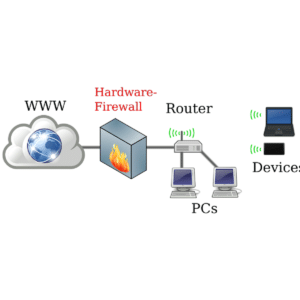
FIVE TYPES OF FIREWALLS:
- Stateful inspection firewalls evaluate network traffic to determine whether one packet is related to another packet.
- Next-gen firewalls use a multilayered approach to consolidate enterprise firewall capabilities with an IPS and application control.
- Packet filtering firewalls evaluate data packets in isolation and don't know the packet's context.
- Application-level gateways inspect packets at the application layer of the Open Systems Interconnection (OSI) reference model.
- Circuit-level gateways provide security by monitoring TCP handshaking between packets from trusted clients or servers to untrusted hosts and vice versa.
ADVANTAGES OF FIREWALL SECURITY:
- Easy installation procedure
- Companies can easily manage websites that can be accessed by employees. Automatically blocking the user from accessing other websites except for the ones provided by the company.
- It can block suspicious IP addresses.
- Protects network from viruses and worms
- It controls the traffic in and out of the network.
- It blocks other computers from accessing programs installed in your computer or network.
- It protects your wireless network (WiFi)
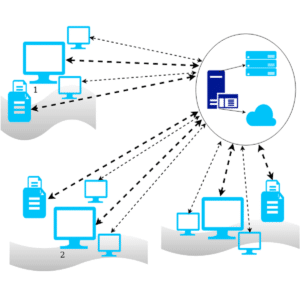
LIMITATIONS OF FIREWALL SECURITY:
- A firewall cannot stop users from access inaccessible websites when they are using malicious codes.
- It cannot prevent users or attackers when they are using a modem if they are dialing in to or out of the internal network.
- A firewall cannot protect a network that is lacking security systemsor measures.
- It cannot always protect your network from h As hackers don’t just attack malware or trojans – they know where exactly to get into your computer or network thus, bypassing the firewall.
FIREWALL VENDORS:
There are different types of firewalls - features and vendors available to choose from based on what your network needs.
- Cisco Firepower Series is an integrated suite of network security and traffic management products, deployed either on purpose-built platforms or as a software solution.
- Barracuda CloudGen Firewall offers a comprehensive set of next-generation firewall technologies to ensure real-time network protection against a broad range of network threats, vulnerabilities, and exploits, including SQL injections, cross-site scripting, denial of service attacks, trojans, viruses, worms, spyware, and many more.
- Fortinet FortiGate combinesthe functionality of traditional firewalls with deep packet inspection (DPI) and machine learning to bring enhanced protection to your network.
- SonicWall Network Security appliance Series provides organizations that range in scale from mid-sized networks to distributed enterprises and data centers with advanced threat prevention in a high- performance security platform.
- Sophos XG Series provides unprecedented visibility into your network, users, and applications directly from the all-new control center.
STEP BY STEP GUIDE TO FIREWALL CONFIGURATION:
Step 1: Secure your firewall. Update your firewall to the latest firmware.
Step 2: Architect your firewall zones and IP addresses. Plan out your network structure so that these assets can be grouped together and placed into networks (or zones) based on similar sensitivity level and function.
Step 3: Configure access control lists Make your ACLs specific to the exact source and/or destination IP addresses and port numbers whenever possible. At the end of every access control list, make sure there is a “deny all” rule to filter out all unapproved traffic. Apply both inbound and outbound ACLs to each interface and subinterface on your firewall so that only approved traffic is allowed into and out of each zone.
Step 4: Configure your other firewall services and logging. Configure the services you wish to use. Disable all the extra services that you don’t intend to use.
Step 5: Test your firewall configuration. Don’t forget to verify that your firewall is blocking traffic that should be blocked according to your ACL configurations. Testing your firewall should include both vulnerability scanning and penetration testing.
Always remember that network security such as Firewall is there to help us protect our computer network. Businesses should think of security measures that are suitable for the company in order to protect their assets. This is where General Technologies, led by Paul General, CEO/Cybersecurity Specialist comes in. We have various cybersecurity program that suits any business size.
Contact us at 412-853-3708 or email us at info@gcchelp.com.
The post Firewall Management appeared first on General Computer Consulting, LLC.
]]>The post Data Backup.. Why it is important? appeared first on General Computer Consulting, LLC.
]]>
Have you ever lost a file from your computer? Have you experienced losing your data due to a sudden computer breakdown?
Family photos, medical records, bank transactions - these are just a few of the data examples that we usually store on our computer. Oftentimes, we become complacent in just storing our files inside our computer's hard drive, and we are not paying attention to its need to be backup.
WHAT IS DATA BACKUP?
A data backup is a copy or stored data in your devices such as computers, mobile phones, or tablets. Data Backup is used to regain access to information or files in the event of unexpected data loss.
Data loss can occur at any time and in several forms. Data loss can happen in situations like hard drive failures, malware and ransomware attacks, user error and/or physical theft.
WHY DATA BACKUP IS IMPORTANT
The primary reason for data backup is to have a secure and safe location of your files and other important documents where you can retrieve them at any time especially in the event of data loss.
In addition to these:
113 phones are lost or stolen every minute. (Source: World Backup Day)
Over 70 million cell phones are lost each year. (Kensington)
WHAT DATA SHOULD YOU BACKUP?
- Photos
- Videos
- Financial reports/transactions
- Music
- Contacts/Address books
- Documents
- Spreadsheets
BACKUP SOLUTION OPTIONS:
- Removable media
- External hard drive
- Cloud storage
- Backup services
Backing up your data will give you peace of mind knowing that your files are safe. General Technologies, led by Paul General, CEO / Cybersecurity Specialist is providing managed services which includes a backup program that will be beneficial for businesses of any size.
Contact us to learn more!
The post Data Backup.. Why it is important? appeared first on General Computer Consulting, LLC.
]]>