The post Ransomware: The Problem and the Solution appeared first on General Computer Consulting, LLC.
]]>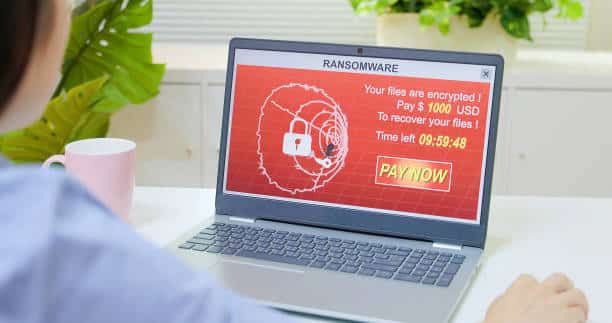
One ransomware hit is a cybersecurity disaster that can cripple your business. Recovery operations like restoring your data and systems through backups are expensive, as are complications like regulatory headaches, harm to business relationships, damaged client confidence, and downtime. If you pay the ransom it’s a huge expense, and there’s no guarantee that the cybercriminals didn’t copy or sell your data anyway.
We have compiled the list of the possible problems and it's solutions to help you out when ransomware attacks!
PROBLEM 1: 65% of ransomware infections are delivered via phishing
The most common cause of infection for ransomware is through a phishing email. Therefore, the most effective way to decrease your chance of a ransomware incident is through constant, updated phishing resistance training for every employee.
SOLUTION:
Phishing resistance training is easy and effective. Simple management tools and plug-and-play training campaigns enable businesses to start training fast.
PROBLEM 2: 75% of companies infected with ransomware were running up-to-date endpoint protection.
One click is all it takes to turn a security blip into a nightmare. If cybercriminals lure a careless employee into providing their login credential through a damaged link in an email, they’ve got an open door to move right into your systems to drop a ransomware attack.
SOLUTION:
Having an extra layer of protection should be in place and use at all times.
- Multifactor Authentication (MFA)
- Single Sign-on (SSO)
- Remote Access Management
PROBLEM 3: 60% of the information available on the Dark Web could potentially harm enterprises through hacking, spear phishing, and ransomware attacks.
Password lists are abundant on the Dark Web. An average 59% of workers reuse passwords at work that they use for other online accounts. Cybercriminals don’t even have to trick your employees into giving up their password to slip into your systems and from there, they will deploy a ransomware attack.
SOLUTION:
Keep an eye on your employees credentials to make sure that they haven’t been compromised with Dark Web ID – especially for highly privileged users like administrators and executives.
SUMMARY:
Every company must take this ransomware threat seriously and put strong protections in place to avoid falling victim to a ransomware attack. Through increased security awareness training, improved data security, and reliable threat intelligence, companies can guard their data and systems against ransomware effectively and efficiently without causing hundreds of dollars.
Paul General, CEO/Cybersecurity Specialist and his team at General Technologies can provide you the protection your business need. Whether you need to upgrade your cybersecurity system or thinking of building a new one - we got you covered. We have various programs and cybersecurity solutions that will fit from small to medium-sized businesses.
Contact us today to start your cybersecurity strategy plan!
The post Ransomware: The Problem and the Solution appeared first on General Computer Consulting, LLC.
]]>The post Managed IT Services… What is it and why your business need it. appeared first on General Computer Consulting, LLC.
]]>
Managed IT Services is a tasks handled by a third party, a reliable partner who you will manage the technical part of your business.
The managed services is designed to offload the tasks from the owners and designate it to the third party called Managed Services Provider.
Remote monitoring and management of computers, servers, networks, and mobile devices are the most common type of managed IT service. Managed Services Provider also offers a more extensive services such as Networking, Project IT Management, Cybersecurity, Data Backup, and Email and Server Support.
With the advancement in business technology, more and more companies are finding it difficult to deal with daily IT issues. Many companies are shelling out lots of money on outsourcing IT support when equipment breaks or a part of the system goes down, which could be well-spent on growing the business. Today, more and more companies are leaning towards Managed Service Providers (MSP) not only to increase the productivity and but also to lower the risk.
5 reasons why businesses should hire MSP
(1) 24/7 Monitoring
With 24/7 on-going maintenance and monitoring by MSP, you will never have to agonize over costly downtime. If a problem arises, MSP deals with it swiftly while ensuring to free up more time for you to focus on other aspects of your business.
(2) Comprehensive Security Solutions
MSP offers real-time monitoring, proactive analysis, and quick response times. Aforementioned, MSP offers 24/7 protection with most innovative threat detection technologies.
(3) Automated Tools
MSPs have numerous tools that assist in effectively managing and monitoring IT systems to prevent interruption or downtime.
(4) Cost-effective
MSPs are competitive in price when compared to hiring an onsite IT staff. Hiring an onsite IT staff and a manager can cost over 6 digits to just have a staff onsite.
(5) Long-term Strategy
Getting MSPs for your business will provide your organization with an ability to upgrade servers, switches or any other piece of technology on your network. Most importantly, you don’t have to worry about any negative impact on your business.
With the advancement in business technology, more and more companies are finding it difficult to deal with daily IT issues. Managed Services Provider like General Technologies will help you find more ways to improve the technical aspect of your business while you can focus on growing your business.
We offer customizeable services that will suits the need of your business. Contact our team of professionals at 412-853-3708 or info@gcchelp.com.
CLICK HERE to get updated with our specials, promos, and freebies.
The post Managed IT Services… What is it and why your business need it. appeared first on General Computer Consulting, LLC.
]]>The post Are Security Cameras Tax Deductible? appeared first on General Computer Consulting, LLC.
]]>Firstly, if you install a security camera system for personal use, it’s not tax-deductible. However, if you install it for your business, you can claim it as a business expense on your tax return. This applies to both wired and wireless security cameras.
Secondly, you need to consider the type of security camera you’re installing. If you’re installing a security camera system integrated into your home’s security system, you can claim it as a home security expense. However, if you’re installing a standalone security camera, it may not be tax-deductible.
Thirdly, the cost of the security camera system also matters. If the price of the security camera system is high, you may need to depreciate it over several years. This means you can deduct a portion of the cost each year over the system’s useful life.
Lastly, if you’re looking for an affordable and tax-deductible security camera option, consider Blink security cameras. They are wireless, easy to install and offer a range of features such as motion detection and HD video recording. Plus, they are an affordable option compared to other security camera systems.
In conclusion, whether security cameras are tax-deductible depends on several factors, including the purpose, type, and cost of the security camera system. If you’re unsure, it’s best to consult a tax professional. And if you’re looking for an affordable and reliable security camera option, Blink security cameras are worth considering.
Are Security Cameras Allowed In Classrooms?
Security cameras are becoming increasingly common in public spaces, schools, and classrooms. Many schools are installing security camera systems to deter crime and monitor activity. However, there is some debate about whether or not security cameras are allowed in classrooms.
While there are no federal laws that expressly prohibit the use of security cameras in classrooms, there are some privacy concerns that must be considered. Some states have laws restricting the use of cameras in specific locations, including classrooms. Additionally, schools must consider the potential for abuse of the cameras, such as invasion of privacy or misuse by staff members.
Wireless security cameras, such as Blink security cameras, are becoming more popular due to their ease of installation and flexibility in placement. However, schools must be careful when installing these cameras, as they may interfere with classroom activities or violate students’ privacy.
Schools should consider using security cameras in classrooms and weigh the potential benefits against the potential risks. If they choose to use cameras, they should be transparent about their use and ensure they are used only for their intended purposes. Overall, the decision to use security cameras in classrooms is complex and requires careful consideration and planning.
How Many Security Cameras Are In The Us?
Security cameras have become increasingly popular in the United States to protect homes and businesses. According to recent studies, over 70 million security cameras are in use nationwide, with the number continuing to rise.
One of the main reasons for this increase is the availability of wireless security cameras, which are easy to install and use. These cameras can be integrated into a security system, allowing homeowners and business owners to monitor their properties from anywhere, anytime.
One famous brand of wireless security cameras is Blink, which offers a range of affordable and easy-to-use cameras. With Blink security cameras, users can monitor their properties remotely and receive alerts when motion is detected.
Overall, security cameras are an effective way to deter crime and protect your property. Whether you opt for a traditional security camera system or invest in wireless security cameras like Blink, installing a security camera can provide peace of mind and an extra layer of protection. If you’re considering adding a security camera to your home or business, it’s worth researching to find the best option.
How Often Are Security Cameras Monitored?
Security camera systems are an essential tool for surveillance and crime prevention. However, one question often arises, “How often are security cameras monitored?” The answer to this question depends on various factors, including the type of security camera system being used and the level of monitoring required.
Wireless security cameras are becoming increasingly popular due to their ease of installation and remote access capabilities. These cameras can be set up to send alerts to a mobile device or computer, allowing for real-time monitoring. Blink security cameras are a famous brand of wireless security cameras that offer motion detection and HD video recording.
On the other hand, traditional wired security cameras require a dedicated monitoring station and trained personnel to review footage. These cameras may be monitored 24/7 or only during certain hours of the day. It is important to note that having a security camera system can deter potential criminals, even if the cameras are.
In conclusion, the frequency of security camera monitoring depends on the type of security camera system used and the level of surveillance needed. Wireless security cameras, such as Blink security cameras, offer remote access and real-time monitoring capabilities, while traditional wired security cameras require dedicated monitoring stations and personnel. Regardless of the type of security camera system, the presence of cameras can serve as a powerful deterrent to criminal activity.
The post Are Security Cameras Tax Deductible? appeared first on General Computer Consulting, LLC.
]]>The post What Are The Types Of Security Camera Systems? appeared first on General Computer Consulting, LLC.
]]>The first thing to consider is whether you want a standalone camera or a complete home security system with cameras. A complete home security system with cameras is a more comprehensive solution. This type of system is typically more expensive but provides greater peace of mind.
If you are looking for a standalone camera, there are two main types to consider: wired and wireless security camera systems. Wired cameras are more reliable and can provide higher quality video, but they require professional installation and can be more difficult to move or adjust once installed. Wireless security camera systems are easier to install and offer more flexibility, but the quality of video can be lower and the signal can be disrupted by other wireless devices.
When it comes to the best home camera security systems, there are several top-rated options on the market. The Arlo Pro 3 Wireless Security Camera System is a popular choice for its easy setup, high-quality video, and long battery life. The Nest Cam IQ Indoor is another great option for its advanced features, including facial recognition and automatic zooming and tracking.
Ultimately, the best security camera for your home will depend on your individual needs and preferences. Consider factors such as budget, features, ease of installation, and video quality when making your decision. protected.
What Is The Best Wireless Security Camera System To Buy?
When it comes to protecting your home and loved ones, investing in a high-quality wireless security camera system is essential. With so many options on the market, it can be overwhelming to determine which one is the best fit for your needs. We will discuss the best wireless security camera systems to buy.
One of the best home security system with cameras on the market is the Arlo Pro 4. This system includes two wireless cameras with 2K video resolution and night vision capabilities, as well as two-way audio and a built-in siren. The Wireless security camera systemsare weather-resistant, making them suitable for outdoor use, and the system is compatible with Amazon Alexa and Google Assistant for easy voice control.
Another great option is the Nest Cam IQ Indoor. This wireless security camera system features a 4K sensor and HDR imaging for high-quality video footage, as well as two-way audio and advanced facial recognition technology.
For those looking for a comprehensive home camera security system, the SimpliSafe Home Security System is an excellent choice.
There are many excellent wireless security camera systems on the market, each with its own unique features and capabilities. When selecting the best home camera security system for your needs – consider factors such as video quality, audio capabilities, ease of use, and compatibility with other devices.
How People Chose Security Camera Systems
Choosing a security camera system for your home can be a daunting task, given the numerous options available in the market today. The best home security system with cameras should offer you peace of mind, providing round-the-clock monitoring of your property, alerting you of any suspicious activity, and allowing you to keep an eye on your home from anywhere in the world.
Wireless security camera systems are popular among homeowners due to their ease of installation and flexibility. With wireless cameras, you don’t have to worry about running wires through your walls, and you can easily move them around to different locations.
When it comes to selecting the best home camera security systems, you need to consider several factors, including the camera’s resolution, field of view, night vision capabilities, and storage options. You may also want to look for cameras that come with additional features such as motion detection, facial recognition, and two-way audio.
Moreover, it’s essential to choose ahome security system with camera that is easy to use and comes with a mobile app which will allow you to control the cameras remotely. You should also consider the overall cost of the system, including any monthly subscription fees and the cost of additional cameras, if you need to expand your system in the future.
In conclusion, selecting the best home security system with cameras requires careful consideration of your specific needs and preferences. By taking the time to research and compare different options, you can find a system that provides the level of security and peace of mind you need to keep your home and family safe.
The post What Are The Types Of Security Camera Systems? appeared first on General Computer Consulting, LLC.
]]>The post How Does A Company Find The Best Salesforce Consultant? appeared first on General Computer Consulting, LLC.
]]>One key factor to consider is the consultant’s experience in the field. Look for someone who has worked with businesses similar to yours and has a proven track record of success. Additionally, consider their expertise in related areas such as computer forensics consulting, small business computer consulting and computer network consulting.
Another important factor is communication. You want a consultant who can clearly explain technical concepts in plain language and who will work closely with you throughout the process to ensure that your needs are being met.
Don’t forget about the budget, either. While you don’t want to sacrifice quality for cost, it’s important to find a consultant who can work within your budget and provide you with a clear understanding of the costs involved upfront.
Overall, finding the best Salesforce consultant for your company requires careful research and consideration. But with the right approach, you can find a consultant who will help you unlock the full potential of Salesforce and take your business to the next level.
What Is The Importance Of Computer Consultancy Services?
Computer consultancy services play a crucial role in today’s digital age, especially for small businesses. A computer forensics consultant can assist in the investigation of cybercrime and digital evidence. Small business computer consulting helps ensure efficient computer systems, and computer network consulting offers support in network design and management.
For small businesses, computer consultancy services can help in maintaining the smooth running of their computer systems. They offer various services such as troubleshooting, maintenance and upgrading of hardware and software. This helps in increasing efficiency, reducing downtime and improving productivity.
Computer forensics consultants are essential in the investigation of cybercrime. They use their expertise to analyze digital evidence and provide technical assistance in legal cases. Their knowledge and experience in data recovery, information security, and computer systems are crucial in determining the facts and evidence necessary in court proceedings.
Computer network consulting is crucial for the design and management of computer networks. Consultants offer services such as network design, installation and troubleshooting. They ensure that the network is secure and operating optimally, minimizing the risk of downtime and potential cybersecurity threats.
In conclusion, computer consultancy services are essential in today’s digital world, especially for small businesses. The services provided by computer forensics consultants, small business computer consulting, and computer network consulting are necessary for efficient system operation, cybersecurity and legal proceedings.
Is It Best To Have A Consultancy For An MS Application Process?
When it comes to MS application processes, many individuals wonder if it’s best to have a computer forensics consultant, small business computer consulting or computer network consulting firm to help with the process. While there are pros and cons to both approaches, there are some things to consider before making a decision.
First, it’s essential to understand the role of a consultancy. These firms typically have expertise in a particular field and offer their services to individuals or businesses who need help in that area. For MS applications, a consultancy can help with everything from filling out the application to providing advice on how to improve your chances of acceptance.
One of the main advantages of working with a consultancy is their experience with the MS application process. This means that they can provide valuable insights into what the admissions committee is looking for and how to tailor your application to meet their expectations. They may also have connections within the industry that can help you get your foot in the door.
On the other hand, working with a consultancy can be expensive, and there is no guarantee that they will be able to help you get accepted into the MS program of your choice. Additionally, some people prefer to go through the application process on their own, as they feel it gives them more control over the outcome.
Whether or not to use a consultancy for an MS application process ultimately depends on your personal preferences and circumstances. If you have the financial resources and want the peace of mind that comes with working with an expert, then a consultancy may be the way to go. However, if you feel confident in your abilities and want to save money, then going it alone may be a better option.
What Skills Do You Need To Be A Computer Consultant?
To become a computer consultant, you need to possess various skills and knowledge in computer forensics, small business computer consulting and computer network consulting. These skills will enable you to provide efficient and effective solutions to your clients.
Computer forensics consulting requires knowledge of computer security, data recovery and legal procedures. You must have expertise in investigating cybercrimes, analyzing data and presenting evidence in court.
Small business computer consulting involves understanding the unique technology needs of small businesses. You should be able to provide cost-effective solutions to improve their operational efficiency and productivity.
Computer network consulting requires expertise in designing, implementing and managing computer networks. You must be familiar with various network technologies and protocols and can troubleshoot network issues.
Apart from technical skills, you must have excellent communication skills to interact with clients and team members. You should also have project management skills to manage projects, budgets and deadlines.
Becoming a computer consultant requires a blend of technical, communication and project management skills. Possessing expertise in computer forensics consulting, small business computer consulting and computer network consulting will give you an edge in the market and enable you to provide excellent services to your clients.
The post How Does A Company Find The Best Salesforce Consultant? appeared first on General Computer Consulting, LLC.
]]>The post Is Access Control System a Good Fit For Your Business? appeared first on General Computer Consulting, LLC.
]]>
Do you want to achieve "peace of mind" in your business?
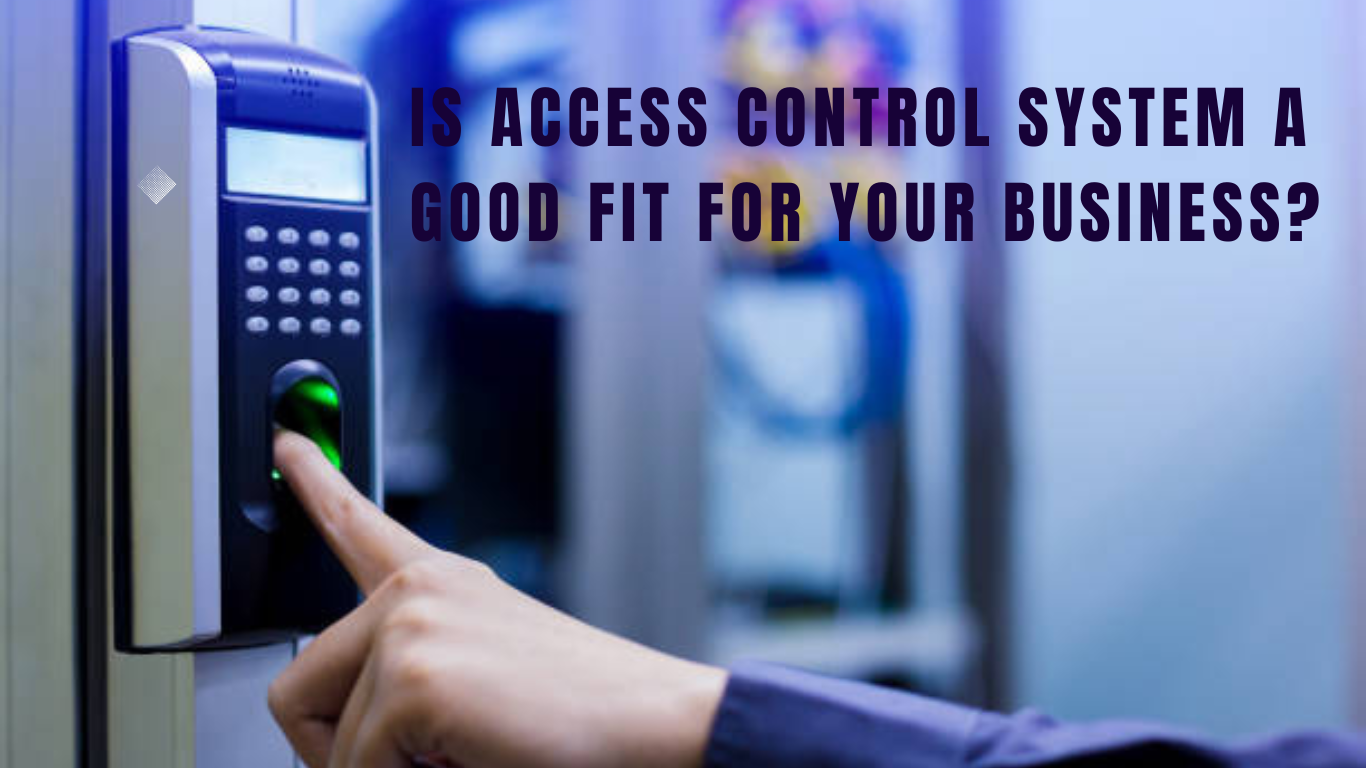
Safety and protection should always come first in your business. Securing your employees, assets, and property are your responsibility. Access control systems serve as your eyes and ears - especially when you cannot be there. Incorporating technologies such as keycards, intercom entrance systems, remote monitoring, and smart technology integrations can be the difference between injuries, property damages, lost revenues, and even fatalities.
Whether protecting a small business, multi-unit corporation, hospital system, or retail store, an advanced access control system with real-time mobile device alerts is a necessary safeguard.
|
|
| Access Control Components |
| When planning to install an access control system should start first with your provider. General Technologies will lead your hand in the planning process. We'll start with the survey on what your business needs are, then we'll decide which equipment is suitable for the business. |
FEATURES OF AN EFFICIENT ACCESS CONTROL SYSTEM: |
|

|
No matter what your business is, whether it is big or small protecting your employees and assets should always be on top. Investing in top-of-the-line access control systems will not only give you peace of mind but also give your business a good reputation.
Contact our security team to get more information on our Access Control Systems packages. Call us the 412-853-3708 or email us at info@gcchelp.com.
The post Is Access Control System a Good Fit For Your Business? appeared first on General Computer Consulting, LLC.
]]>The post Lidl Retail Chain Company appeared first on General Computer Consulting, LLC.
]]>A key component of Lidl’s strategy of keeping costs low is to minimize staffing by accommodating cutting-edge technology. With this background in mind, GCC’s partnership in the technology side of this business has taken on added importance.
To better appreciate the magnitude of the technology needs involved, let’s take an overview of the technology packed into one Lidl store, all managed and installed by General Computer Consulting.
Services we provided to Lidl:
TECHNOLOGY SYSTEMS
Closed circuit TV, access control, and burglary prevention systems. That CCTV system is composed of cameras, lenses, mountings and covers, cables, power supplies, switches synchronizers, monitors, and video recorders.
CYBERSECURITY MANAGEMENT
Lidl makes use of the Genetec Cloudlink (Synergis) system to manage and coordinate the access control system. Key pieces of hardware include:
1 Genetec server (preconfigured)
3 PoE switches
2 Altronix rack mount 12 VDC power supplies
1 Genetec Cloudlink
1 Bosch cellular card
3 Commscope 24 port patch panels
2 surge protection panels with seven modules
VISUAL SECURITY
Literally overseeing store security, both interior, and exterior, the building makes use of ceiling-mounted dome cameras along with exterior bullet cameras, exterior 360-degree cameras as well as 360-degree interior cameras. A partial list of interior and exterior visual security hardware for the project include:
23 Mini-dome cameras
2 exterior bullet cameras
3 exterior 360-degree cameras
8 interior 360-degree cameras
INVOLVING PUBLIC
A proven help in retail loss prevention and in reducing shoplifting and other crimes in the retail space is the use of public view monitors. These monitors are normally displayed in a very public place, like a front desk or a lobby, obvious to all visitors that video surveillance is underway across the facility. Their value is primarily as a deterrent, but the monitors could be used, as well, to summon help, or to show a trouble spot. 2 public view monitors (PVM)
ROLLUP DOORS
A primary feature in the operation of rollup-type warehouse doors is that they are normally fitted with contact sensors, which provide door alerts or show their open/closed status for security checks. That hardware included:
10 MEIR boxes
12 SY-EP1501 control boards
15 card readers
2 roll up door sensors
5 surface mount contacts
8 recessed contacts with magnets
2 control panel enclosures (B8103)
1 Bosch B8512 Control Panel
1 Bosch B520 Power Supply
1 Bosch B308 relay module
2 Bosch B942W keypads
1 Bosch D116 interior siren
5 Honeywell WAVE2 sounders (for door forced)
ADDITIONAL SECURITY
Intrusion alarms take many forms, including the detection of breaking glass, sensing movement or motion, holdup alarms, fire alarms, and smoke detectors. Hardware for this group included:
5 Bosch DS1103i glass break sensors
9 Bosch Ceiling mount motion sensors
1Bosch 25’ antenna cable
1 Bosch B299 Popex module
4 UltraTech 12V batteries with one harness
3 Electric rim strikes & 1 Dual Door Electric Strike
5 Electric door strikes
1 Altronix relay
Lidl is committed to lower prices and higher quality of goods, and to providing a safe and comfortable environment for its customers as they shop. As customers enter the store they immediately see evidence of the security measures put in place by the store’s management and professionally installed by General Computer Consulting.
Let us help you, as we have with so many companies: contact our estimating department at GCC (412) 990-1414 or bidding@gcchelp.com
The post Lidl Retail Chain Company appeared first on General Computer Consulting, LLC.
]]>The post TIPS to prevent Network Outages… appeared first on General Computer Consulting, LLC.
]]>
Business as usual… This is the ideal for companies. Any outage, delay, issues, unforeseen circumstances only means loss of income or profit. This is a BIG NO-NO for any business or organization. There are many kinds of outages, one of them is server malfunction. One main reason for your server unavailability is network outage.
Network Outage Prevention
Below are just some of the precautions that can apply to lessen or reduce network outages.
- Make sure your software and computer system are always up to date.
- Always keep an eye on your network by maintaining the accuracy of your network system configuration.
- Do not complicate your network. Any additional devices, components or cables may affect the original set up of your network.
- Make sure that the right cable is used for each device.
- Do not overload your network.
- Be careful in changing any parts on your computer system. Allow an I.T. expert to handle such concern.
- Install or create a security setting in your network such as placing a password or lock to prevent any malicious threats.
- Partner with an I.T. team that will conduct routine maintenance on your network system.
SUMMARY:
Network Outage is a period of time when your system becomes unavailable and unable to connect your resources such as routers, modems or switches. During network outage you’re unable to go online due to connection loss. Network outages can cost the business to lose profits and even worse customers. Make sure that your system is always in good condition and 90% up and running.
For troubleshooting or repair, feel free to contact us. Our tech team will be more than happy to help.
Call us at (412) 990-1414 or email us at info@gcchelp.com. You can also follow us in our social media channels @gcchelp (Facebook, Instagram, and Twitter).
General Technologies – “Your total outsourced I.T. solution”
“We DO I.T. so you don’t have to”
The post TIPS to prevent Network Outages… appeared first on General Computer Consulting, LLC.
]]>The post ANYTHING YOU NEED TO KNOW ABOUT WIFI appeared first on General Computer Consulting, LLC.
]]>WiFi connection was built using a wireless adapter to create hotspot areas in the area of a wireless router that is connected to the network to give internet access. The main advantage of a WiFi is that you can connect to the internet even without using an Ethernet cable or wired connection. Unlike before, in order for your computer to get internet connections you have to wire-connect it from the router.
What are the common causes of WiFi interference?
- Poor WiFi signal
- Physical barriers
- Coverage
Because of the interference or loss of WiFi connection, there are a few easy steps that you may do to troubleshoot your WiFi. These are follows:
- Check the signal light of the WiFi in your router. WiFi is in good status when you see the green light.
- Reboot the system.
- Unplug the modem/router – wait for about 60 seconds before plugging it back.
- Unplug the cables in the modem – check if there are no cut wires or sign of physical damage.
- Connect your laptop or desktop computer to the router/modem using the Ethernet cable – This will allow you to determine if the problem is the actual device or not.
When you have determined the WiFi issue and unable to fix it using the above troubleshooting steps, better to call an I.T. expert to fully diagnose the problem and give an accurate and best solution to the issue. Sometimes, troubleshooting it yourself without proper handling can cause a lot more issues and damage.
General Technologies is well-known in handling I.T. concern whether it is a hardware or software issue. Our team carefully diagnoses and traces the root cause before repairing it to make sure that we are applying the correct solution. Our team is also well equipped with knowledge and up to date with the latest in the I.T. world. With General Technologies, you will never go wrong.
Feel free to call us at (412) 990-1414 or send us an email: info@gcchelp.com for immediate assistance.
General Technologies – “Your total outsourced I.T. solution”
“We DO I.T. so you don’t have to”
The post ANYTHING YOU NEED TO KNOW ABOUT WIFI appeared first on General Computer Consulting, LLC.
]]>The post A MUST! Web-based calling apps for business appeared first on General Computer Consulting, LLC.
]]>Here are the TOP 5 most commonly used calling apps:
- SKYPE – this tool is very common and a user-friendly app. This can be used in video calling, conference call, and even international calling. Skype calling is free, but calling a certain phone number may apply some charges. Aside from calling, you can also send and receive messages through this app. This app was designed by Microsoft.
- GOOGLE HANGOUTS – for GMAIL users, you can easily use Google Hangouts as it is just one click from your email account. You can do audio and video calls using this app. You can also create a team or group to make conference calling easier. It can be downloaded to smartphones too.
- ZOOM – Zoom is one of the most reliable calling apps. This software combines video conferencing, online meetings, chat or messaging and can be downloaded on smartphones. You can also use this app for webinars.
- GOOGLE MEET – this is a video conferencing call for free. This is like a business-oriented version of Google Hangouts. You can save scheduled meetings on this app. This app can also be used through smartphones as it provides a unique PIN number for every meeting. You can also save or record your meetings. A recording is automatically saved in Google Drive.
- CISCO WEBEX – is a product made by Cisco that is designed for video and web conferencing, online meetings, webinars and screen sharing.
SUMMARY:
Having the means of communication within your company and to your customers is a MUST! These web-based calling apps are bringing telecommunication to its higher level that is inclined to the latest technology.
To receive the latest and up to date I.T. news or to inquire about our services, you can call us at (412) 990-1414 or email us at info@gcchelp.com.
General Technology – “Your total outsourced I.T. solution”
“We DO I.T. so you don’t have to”
The post A MUST! Web-based calling apps for business appeared first on General Computer Consulting, LLC.
]]>