The post 7 Internet Safety Tips appeared first on General Computer Consulting, LLC.
]]>
It is said that an average person spends about 6 hours and 58 minutes per day connected to the internet. We spend time online to work, learn, and communicate with friends and family. Typically, the more time you spend online goes hand-in-hand with the number of accounts and devices. Have you thought about how this exposes you to a greater risk of cyberattacks due to your frequent online presence?
Here are the best practices to keep you away from cyber criminals:
- Don't give out personal information: Avoid online phishing attempts by keeping your personal information private. Don't give out your phone number, social security information, or banking info to someone you don't know.
- Create complex passwords: Create complex passwords with a combination of letters, numbers, and symbols. Consider using a password manager to create and keep track of your passwords.
- Check website reliability: Before purchasing anything on a website ensure that it is safe. You can do this by checking if it has a small lock icon or "https" before the URL. The "s" in "https" stands for "secure" and the lock means it is confirmed as a safe site by your browser.
- Avoid suspicious online links: Be careful of websites or emails containing suspicious links. Some websites may use quizzes, freebies, or salacious stories to get you to click on them and then steal your personal information.
- Keep your computer updated: Computer developers release updates to keep products safe. Keep your device software up to date so it is not vulnerable to malware.
- Monitor app permissions: Learn the privacy settings for any device, app, or service you use. Some apps will ask for permission to access photos and other personal information. Stay informed so you are not sharing anything you don't want to.
- Be cautious with public WiFi: Be careful when you use public WiFi. When accessing public networks, anyone can use unsecured networks to distribute malware and access private information.
Following these recommendations will help you mitigate your risk against the rising cyberattacks on both business and personal accounts. Phishing, malware, and ransomware are just some of the common cyberattacks to look out for. Paul General, CEO and Cybersecurity Specialist of General Technologies, can offer your team a variety of cybersecurity programs that will protect your business from any type of cyber attack. We’ll look into your dark web breaches, open ports in your network, jeopardized passwords, employee security, and a whole lot more.
Learn about the underlying gaps that cybercriminals are waiting to exploit. Let’s start with a cyber strategy session where we’ll discuss your current security posture and our plan to move you into a secure future.
The post 7 Internet Safety Tips appeared first on General Computer Consulting, LLC.
]]>The post How Important Is a Wireless Access Point To Your Business? appeared first on General Computer Consulting, LLC.
]]>
Wireless Access Point allows businesses to extend the range of their wireless connection to enable more people to use the internet services simultaneously. With plenty of businesses using the internet to promote their product or services, the need for high-speed and reliable connection is evident. In addition, the ability to use high-speed internet allows employees to move freely around the office and still get their work done.
Additional reasons why wireless access points are vital to businesses:
1. IMPROVES NETWORK SECURITY
New wireless access points are now designed with added network security. The security allows users to input their login credentials, acting as another layer of security for your network.
2. IT IMPROVES WiFi SIGNAL
Access points allow and can support up to 60 device connections - allowing users to use the internet connection simultaneously even when moving from one room to another.
3. IT IMPROVES BUSINESS GROWTH
The installation of access points to your business premises attracts more customers and helps employees be more productive. Not to mention, your business transactions will go as smoothly as possible and communication with your business clients will be more efficient with high-speed internet connection.
Paul General, the owner, and CEO of General Technologies, knows better in regard to business competition. With his expertise in installing access points throughout the years, the efficient delivery of the device has been changing due to technology innovations and business needs.
Without a doubt, wired connection and slow internet connection days are over. Wireless communications are now taking and rising above their competition.
Experience the high-speed wireless connection without breaking your bank!
Contact our team and get your Wireless Access Points installed NOW!
The post How Important Is a Wireless Access Point To Your Business? appeared first on General Computer Consulting, LLC.
]]>The post EVERYTHING YOU NEED TO KNOW ABOUT WIRELESS COMMUNICATIONS appeared first on General Computer Consulting, LLC.
]]>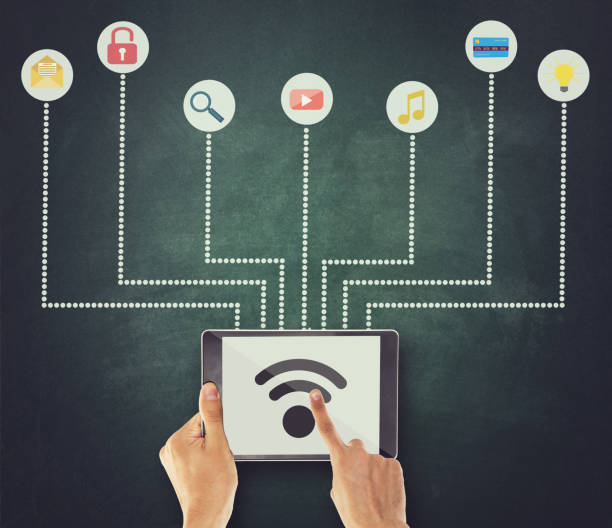
Technology plays a big part of our routine. Wireless communications, which offer the ability to transmit voice and data without cable or wires, provide us with an efficient and cost-effective way to communicate in both work and social settings. Businesses are utilizing the effectiveness of wireless communications for the growth of their companies.
During the COVID-19 pandemic, the popularity of wireless communications was prevalent as companies implemented hybrid and remote work systems. Even in the current day, wireless communication remains extremely substantial:
⦁ Restaurants, coffee shops, and more public places use access points (AP) to extend and provide wireless connection to attract more customers.
⦁ Remote workers rely on the use of high-speed wireless connection to work in different locations and still get their tasks completed.
⦁ Malls and other shopping places offer wireless connection for cashless transactions.
⦁ Hotels, apartment buildings, and other rental properties are now adding AP as one of their amenities.
The popularity of wireless access points puts businesses in tight competition. It is now becoming a requirement to provide wireless service to support as many customers as possible.
Don't let dead spots and downtime slow you down.
Schedule your access point installation today!
Check out our special page https://www.Generalwirelesstech.com/accesspoints to get a FREE QUOTE and INSTALLATION SURVEY.
The post EVERYTHING YOU NEED TO KNOW ABOUT WIRELESS COMMUNICATIONS appeared first on General Computer Consulting, LLC.
]]>The post WIRELESS ACCESS POINTS ADVANTAGES appeared first on General Computer Consulting, LLC.
]]>
WIRELESS ACCESS POINTS ADVANTAGES
No matter what kind of business you own, the product you sell, or where you're located installing wireless access points in your business will help keep your employee's devices connected 24/7 in all areas of your office building.
Secluded areas like stockrooms are commonly viewed as “dead spots'', meaning devices receive poor signal and tend to go offline when employees enter that part of the building. To prevent these incidents, installing wireless access points will turn dead spot locations into a place that receives strong, reliable internet at all times to continue performing tasks efficiently.
MORE ABOUT WIRELESS ACCESS POINTS:
⦁ Provides wireless connection to WiFi-enabled devices such as laptops, desktops, smartphones, smart TV, tablets, and more.
⦁ Allows a large number of users to connect simultaneously to the same network.
⦁ Allows users to move freely while still connected and using the internet.
⦁ Decongest the network situation on high demand.
⦁ Offers full data usage to the Ethernet connection to the router.
⦁ Has optional LAN ports for potentially data-intensive applications.
Don't let downtime or dead spots slow your business potential.
Get your wireless access points installed now!
Contact us for a FREE QUOTE and WIRELESS SURVEY!
The post WIRELESS ACCESS POINTS ADVANTAGES appeared first on General Computer Consulting, LLC.
]]>The post WHY YOUR BUSINESS NEEDS WIRELESS ACCESS POINT appeared first on General Computer Consulting, LLC.
]]>
A Wireless Access Point (WAP) is a networking device that allows wireless-capable devices, such as laptops, computers, desktops, and mobile phones, to connect to a wired network. These wireless internet systems are commonly found in both businesses and homes to increase wireless coverage.
You may be familiar with home routers, which often come with a built-in WAP. While most homes require only one wireless router to cover the physical space, businesses often use many. In this case, wireless access points provide businesses with a broad transmission range, high user access, and stronger signal-sending and receiving capabilities.
4 KEY BENEFITS OF WIRELESS ACCESS POINTS:
1. USER-FRIENDLY, EASY TO MANAGE: Wireless Access Points are very straightforward compared to wired networks. With less complications, they are more user-friendly and require low maintenance.
2. FLEXIBILITY: Devices such as laptops, desktops, smartphones, iPad or tablets can connect to WAP simultaneously.
3. CONVENIENCE AND EFFICIENCY: Wireless internet systems are more convenient in comparison to wired networks. You can place a WAP anywhere in your office or home to allow users secure internet access in all locations. As employees move freely throughout the office, they can still work efficiently without worrying about connectivity issues.
4. COST EFFICIENT: Wireless access points save businesses from putting hundreds of dollars into building a wired network/infrastructure.
Smart devices within a home or business can benefit from the installation of wireless access points. You can conveniently add value to high-traffic areas like coffee shops, restaurants, salons, and doctor offices with these wireless internet systems. They guarantee strong internet connectivity even though many devices may be connected to one network.
General Technologies offers a wide variety of Wireless Access Points such as Cisco, NetGear, Ubiquiti, Aruba, TP-Link, and more.
Let us know how we can help you strengthen your network with our wireless access point installation today!
The post WHY YOUR BUSINESS NEEDS WIRELESS ACCESS POINT appeared first on General Computer Consulting, LLC.
]]>The post Is Access Control System a Good Fit For Your Business? appeared first on General Computer Consulting, LLC.
]]>
Do you want to achieve "peace of mind" in your business?
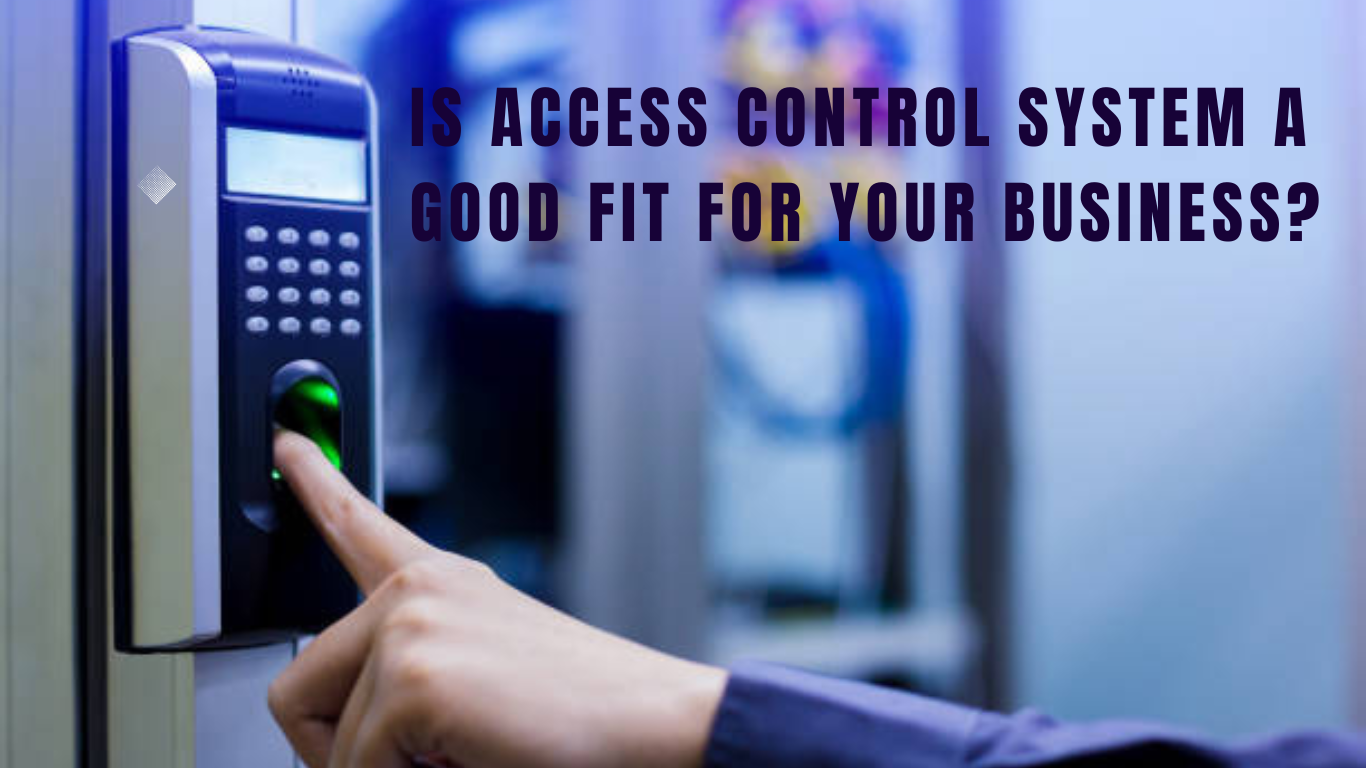
Safety and protection should always come first in your business. Securing your employees, assets, and property are your responsibility. Access control systems serve as your eyes and ears - especially when you cannot be there. Incorporating technologies such as keycards, intercom entrance systems, remote monitoring, and smart technology integrations can be the difference between injuries, property damages, lost revenues, and even fatalities.
Whether protecting a small business, multi-unit corporation, hospital system, or retail store, an advanced access control system with real-time mobile device alerts is a necessary safeguard.
|
|
| Access Control Components |
| When planning to install an access control system should start first with your provider. General Technologies will lead your hand in the planning process. We'll start with the survey on what your business needs are, then we'll decide which equipment is suitable for the business. |
FEATURES OF AN EFFICIENT ACCESS CONTROL SYSTEM: |
|

|
No matter what your business is, whether it is big or small protecting your employees and assets should always be on top. Investing in top-of-the-line access control systems will not only give you peace of mind but also give your business a good reputation.
Contact our security team to get more information on our Access Control Systems packages. Call us the 412-853-3708 or email us at info@gcchelp.com.
The post Is Access Control System a Good Fit For Your Business? appeared first on General Computer Consulting, LLC.
]]>The post TIPS to prevent Network Outages… appeared first on General Computer Consulting, LLC.
]]>
Business as usual… This is the ideal for companies. Any outage, delay, issues, unforeseen circumstances only means loss of income or profit. This is a BIG NO-NO for any business or organization. There are many kinds of outages, one of them is server malfunction. One main reason for your server unavailability is network outage.
Network Outage Prevention
Below are just some of the precautions that can apply to lessen or reduce network outages.
- Make sure your software and computer system are always up to date.
- Always keep an eye on your network by maintaining the accuracy of your network system configuration.
- Do not complicate your network. Any additional devices, components or cables may affect the original set up of your network.
- Make sure that the right cable is used for each device.
- Do not overload your network.
- Be careful in changing any parts on your computer system. Allow an I.T. expert to handle such concern.
- Install or create a security setting in your network such as placing a password or lock to prevent any malicious threats.
- Partner with an I.T. team that will conduct routine maintenance on your network system.
SUMMARY:
Network Outage is a period of time when your system becomes unavailable and unable to connect your resources such as routers, modems or switches. During network outage you’re unable to go online due to connection loss. Network outages can cost the business to lose profits and even worse customers. Make sure that your system is always in good condition and 90% up and running.
For troubleshooting or repair, feel free to contact us. Our tech team will be more than happy to help.
Call us at (412) 990-1414 or email us at info@gcchelp.com. You can also follow us in our social media channels @GCCHelp (Facebook, Instagram, and Twitter).
General Technologies – “Your total outsourced I.T. solution”
“We DO I.T. so you don’t have to”
The post TIPS to prevent Network Outages… appeared first on General Computer Consulting, LLC.
]]>The post ANYTHING YOU NEED TO KNOW ABOUT WIFI appeared first on General Computer Consulting, LLC.
]]>WiFi connection was built using a wireless adapter to create hotspot areas in the area of a wireless router that is connected to the network to give internet access. The main advantage of a WiFi is that you can connect to the internet even without using an Ethernet cable or wired connection. Unlike before, in order for your computer to get internet connections you have to wire-connect it from the router.
What are the common causes of WiFi interference?
- Poor WiFi signal
- Physical barriers
- Coverage
Because of the interference or loss of WiFi connection, there are a few easy steps that you may do to troubleshoot your WiFi. These are follows:
- Check the signal light of the WiFi in your router. WiFi is in good status when you see the green light.
- Reboot the system.
- Unplug the modem/router – wait for about 60 seconds before plugging it back.
- Unplug the cables in the modem – check if there are no cut wires or sign of physical damage.
- Connect your laptop or desktop computer to the router/modem using the Ethernet cable – This will allow you to determine if the problem is the actual device or not.
When you have determined the WiFi issue and unable to fix it using the above troubleshooting steps, better to call an I.T. expert to fully diagnose the problem and give an accurate and best solution to the issue. Sometimes, troubleshooting it yourself without proper handling can cause a lot more issues and damage.
General Technologies is well-known in handling I.T. concern whether it is a hardware or software issue. Our team carefully diagnoses and traces the root cause before repairing it to make sure that we are applying the correct solution. Our team is also well equipped with knowledge and up to date with the latest in the I.T. world. With General Technologies, you will never go wrong.
Feel free to call us at (412) 990-1414 or send us an email: info@gcchelp.com for immediate assistance.
General Technologies – “Your total outsourced I.T. solution”
“We DO I.T. so you don’t have to”
The post ANYTHING YOU NEED TO KNOW ABOUT WIFI appeared first on General Computer Consulting, LLC.
]]>The post What is a router and its benefits? appeared first on General Computer Consulting, LLC.
]]>To make it simple, a router is a device that connects different devices within the network to transport data packets that can be sent between devices and/or to the internet. The router can be connected to two networks – LAN or WAN and ISP networks.
NOW aside from being able to connect different devices, what other benefits can you get from your router?
1. Internet sharing
As we have mentioned above, you can connect different devices using a router and be able to get on the internet all at the same time. In the case of businesses, since they have too many devices that need an internet connection, they normally install additional routers to support the demand.
2. Network security
Though routers are not the same as a firewall that can block malware, still routers are an important device to establish the security of the network against some viruses and cyber threats.
3. Network traffic
In a network where there’s no router, the network traffic can be horrible. It will result in slow internet connection. But with the use of a router, it can reduce network traffic by creating 2 domains – collision domains and broadcast domains.
SUMMARY:
The router is one of the important parts to build a strong and secure network system. For businesses, it is one thing that needs consideration to provide a stable and reliable internet connection. Choosing the right router will have a great IT impact on your business.
For router installation or repair, General Technologies can provide you the highest quality your business deserved! Feel free to call us at (412) 990-1414 or email us at info@gcchelp.com for immediate assistance.
General Technologies – “Your total outsourced I.T. solution”
“We DO I.T. so you don’t have to”
The post What is a router and its benefits? appeared first on General Computer Consulting, LLC.
]]>The post How to choose the best wireless access point for your business appeared first on General Computer Consulting, LLC.
]]>
As the competition in the business world gets harder and harder, owners keep on finding ways to upgrade network systems to serve their business better, provide great customer service, and give their employees the best tools and devices to be more efficient and productive.
Having a fast, stable, and reliable WAP (Wireless Access Point) in the business is beneficial. The piece of hardware is always in use and very important to choose the best to serve your needs. The better the connection is the better chance of serving your business.
But, for starting a company or small business, how do you choose what is the best or most suitable WAP for your business need? Here are some of the key points to remember in choosing the best WAP.
1. Consider your business coveragearea
You have to know first the exact range of the WAP that you will be getting for your business. It is said that one access point is equivalent to roughly 150 square meters. So, if your coverage area is beyond 150 sqm, you may need to get more than one access point.
2. Consider the number of users
It is said that 30 users can use a single access point at the same time and can still have a good internet connection. However, different WAPs have different user capacities. For example, for a typical office with 50 or fewer internet users, it is best to have at least two access points. Always remember that user overload can cause slow internet speed and worse it can cause downtime.
3. Consider the usage
Having tons of applications, software, and systems needed to be used by one user is a big factor in choosing the best access point for your business.
4. Consider the WAP specifications
It is always best to check the specs of the access point before getting and deploying it to your business. There are too many WAPs in the market that show their difference from the other. It is always best to conduct a survey first before choosing the WAP that suits your business needs.
TOP 5 WAP brands in the market:
- Adtran BlueSocket
- Cisco Meraki
- Ubiquiti
- TP-Link Wireless
- Aruba
SUMMARY:
In choosing the best access point for your business needs one must do extensive research. Internet speed relies on both your ISP and the hardware you are using. It is always best to list down your business needs versus your business wants so you can weigh everything down and be able to come up with which WAP brand is best for your business.
General Technologies has partnered with the best and top-of-the-line WAP manufacturers like Ubiquiti and Cisco. Our objective is to provide what is best for your business.
We’ll be more than happy to set up a quick meeting with you to discuss what is best for your business. Contact us at (412) 990-1414 or email us at info@gcchelp.com.
General Technologies – “Your total outsourced I.T. solution”
“We DO I.T. so you don’t have to”
The post How to choose the best wireless access point for your business appeared first on General Computer Consulting, LLC.
]]>