The post TIPS to prevent Network Outages… appeared first on General Computer Consulting, LLC.
]]>
Business as usual… This is the ideal for companies. Any outage, delay, issues, unforeseen circumstances only means loss of income or profit. This is a BIG NO-NO for any business or organization. There are many kinds of outages, one of them is server malfunction. One main reason for your server unavailability is network outage.
Network Outage Prevention
Below are just some of the precautions that can apply to lessen or reduce network outages.
- Make sure your software and computer system are always up to date.
- Always keep an eye on your network by maintaining the accuracy of your network system configuration.
- Do not complicate your network. Any additional devices, components or cables may affect the original set up of your network.
- Make sure that the right cable is used for each device.
- Do not overload your network.
- Be careful in changing any parts on your computer system. Allow an I.T. expert to handle such concern.
- Install or create a security setting in your network such as placing a password or lock to prevent any malicious threats.
- Partner with an I.T. team that will conduct routine maintenance on your network system.
SUMMARY:
Network Outage is a period of time when your system becomes unavailable and unable to connect your resources such as routers, modems or switches. During network outage you’re unable to go online due to connection loss. Network outages can cost the business to lose profits and even worse customers. Make sure that your system is always in good condition and 90% up and running.
For troubleshooting or repair, feel free to contact us. Our tech team will be more than happy to help.
Call us at (412) 990-1414 or email us at info@gcchelp.com. You can also follow us in our social media channels @GCCHelp (Facebook, Instagram, and Twitter).
General Technologies – “Your total outsourced I.T. solution”
“We DO I.T. so you don’t have to”
The post TIPS to prevent Network Outages… appeared first on General Computer Consulting, LLC.
]]>The post What to look for in an anti-virus software for your computer? appeared first on General Computer Consulting, LLC.
]]>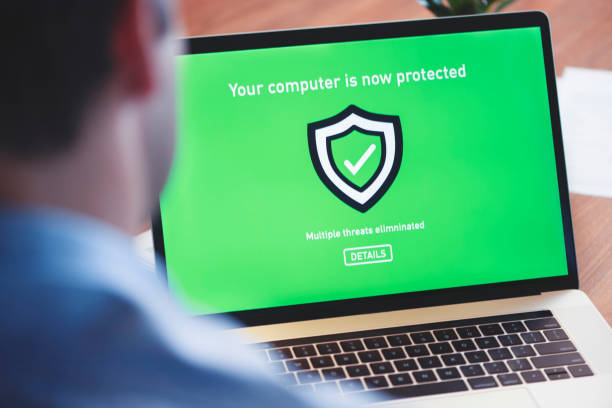
Because of the growing number of viruses, it is a must that your computer is protected with anti-virus software. This is not only to protect your data but also your computer from getting damaged. Viruses can be found anywhere – from emails, attachments, links, apps, and websites.
There are many anti-virus software you can choose from. There are free and paid ones. But what anti-virus software best suits your computer needs? In this article, we’ll give you a guideline that you can use in choosing the right anti-virus software for your computer.
1. The anti-virus that can block malware attack
Look for anti-virus software that is effective against malware attacks. Malware such as spyware and ransomware are both quite hard to recognize by users unless the virus message appears on their computer monitor. Choose an anti-virus that can easily be determined or recognized by this kind of virus and block it from entering your computer system.
2. Anti-virus with an integrated ad blocker
Virus creators are getting wiser and more resourceful. They can create an attack called “malvertising”. This kind of attack came from advertisements found on websites or social media pages and even in some apps. Most of the malvertising will trick the user into clicking on the ad or link and from there virus will spread on the computer. Therefore you must consider this requirement when looking for anti-virus software.
3. Anti-virus hosted by a legitimate developer
This is a very important thing to check first before downloading or installing your chosen anti-virus. You must check first the legitimacy of the developer or host of the anti-virus software. Check their background, and search for reviews or feedback about the software and the company itself. Once you have done your research, make sure to download the software from the company’s website or other trusted sites.
SUMMARY:
Anti-virus software is essential and a needed tool for every computer user. This anti-virus software is like your “computer vitamins” that protect your computer from viruses and other common cyber threats. To protect not only your computer but also your important data, ensure that anti-virus software is installed and updated on your computer.
For questions and/or inquiries on anti-virus software, General Technologies can give the best quality software that you can rely on. Contact us at (412) 990-1414 or send us an email to info@gcchelp.com.
“We do I.T. so you don’t have to”
The post What to look for in an anti-virus software for your computer? appeared first on General Computer Consulting, LLC.
]]>The post UPDATE NOW! How important is it? appeared first on General Computer Consulting, LLC.
]]>But the question is – how important it is to do the update whenever it is available? Here are the two simplest reasons why an update is essential and a must!
1. Security-wise
The operating system, software and/or apps require an update when available as it helps the user to have more security and protection over cyber threats and viruses. Developers are continuously working to always be a step ahead of cybercriminals. They always check the loopholes that can be an easy gateway to cyber threats.
2. Program enhancements
Updates are not only meant for system security, but it is also there to fix bugs, errors, and added functionality on the program. As we always say, “there is no such thing as perfect”, that is why developers always look for answers, easy fixes, and corrections on the program to provide a better customer experience.
SUMMARY:
Nowadays, security is the most crucial thing you should consider whether you are a home user or in business. Your data, as well as your equipment, are two things that will get hurt once a cyber threat penetrated onto your computer system. Damages can be from minimal to maximum extent that losing your business can be at stake. Don’t take “update” for granted… It is there to make your life not only easier but also protected.
For cybersecurity inquiries, General Technologies has different packages that will surely meet your needs. Get your network the security it needs at a very reasonable rate.
Contact us at (412) 990-1414 or send us an email to info@gcchelp.com.“We do I.T. so you don’t have to”
The post UPDATE NOW! How important is it? appeared first on General Computer Consulting, LLC.
]]>The post Reasons why you should update your business technology appeared first on General Computer Consulting, LLC.
]]>Therefore, when is the time you should update your business technology? Find out here…
1. Productivity is decreasing
Productivity is essential in business. Owning and operating your business using old technology or equipment means less productive. For example, the speed of your internet is too slow because of the increase in users, you must upgrade to a faster network which will provide more speed, reliability, and stability.
2. Unsecured network
It is a clear sign that you need to upgrade your business technology when your network is becoming vulnerable to internet threats. Cyber Security is vital for your business. Securing your network is not only protecting your company’s data but also provides safety to your employees.
3. Your software is outdated
Outdated software most likely does not match to the latest technology. Keep in mind that updates are there because of the changes in technology. Outdated software is less efficient compared to the updated ones. It also gives you limited access.
4. Your company is changing its line of business
New technology is most likely needed if your company is changing its line of business. Different types of businesses have their type of technology needed. Your technology must fit your business needs.
5. Your business is growing and getting bigger
It is very satisfying to know that your business is growing and getting bigger. Therefore, your business technology requires of a much-needed upgrade. Upgrading your technology will keep your business at a fast pace and competitive.
SUMMARY:
Technology is not slowing down instead it is changing rapidly. Your business must keep the same pace as the technology is.
Should your business need an upgrade or you wish to talk to an I.T. expert with regards to your networking system, our team is more than willing to help.
Contact us through (412) 990-1414 or send us an email to info@gcchelp.com. You can also send us a direct message through our social media pages – Facebook, Instagram, and Twitter (@GCCHelp).
“We do I.T. so you don’t have to”
The post Reasons why you should update your business technology appeared first on General Computer Consulting, LLC.
]]>The post Best remote software for small business appeared first on General Computer Consulting, LLC.
]]>There is much remote software that can be useful to your business and we have listed down some of it for your reference:
1. ZOHO Assist
Zoho Assist tool is a remote support software and remote access software crafted for SMBs. Zoho Assist is cloud-based remote support and remote access software that allows I.T. support to provide support to remote customers and manage remote computers anywhere.
- It has a 15-day trial period
- 5 different packages from $0 – $21
2. Remote PC
Remote PC allows you to connect, control, and collaborate. RemotePC allows you to access and manage your distant computers anytime, from any device – given that the computer has an active Internet connection and the RemotePC application installed on it.
- It has 4 types of packages
- Pricing range from $0 – $374
3. TeamViewer
TeamViewer allows you to remotely access and control the desktop of your computers and servers from anywhere, on a 3G or better internet connection. Keep your I.T. stable and secure, and your uptime high with TeamViewer Remote Management.
- It has 3 types of Licences (Business, Premium, and Corporate)
- Pricing range from $1,290 – $4,990/month
4. LogMeIn
LogMeIn allows you to store, share, and collaborate on files in one click. With LogMeIn, you can easily monitor, manage, and secure your endpoint infrastructure.
- It has 2 types of packages (For individuals, SMB, and I.T. Professionals / For I.T. Professionals, Help Desk, and Technicians)
- It has a free trial period
SUMMARY:
Remote software is a tool that can be very helpful for companies to run their business at ease. With this remote software, you can focus more on building your business growth. Though remote software can be that expensive but it is an investment that your business should consider getting.
To receive the best quality I.T. service, feel free to call us at (412) 990-1414 or send us an email to info@gcchelp.com and our I.T. professionals will quickly respond to you.
“We do I.T. so you don’t have to”
The post Best remote software for small business appeared first on General Computer Consulting, LLC.
]]>The post Anything you need to know about Malware… appeared first on General Computer Consulting, LLC.
]]>But what is Malware? Malware is a general term for software that infects your computer system. It is designed to damage your computer or steal your private information.
But how can you get Malware and how to avoid it?
- Keep your software up to date. Whenever it is available, update your software. The increase in security features is available in every update.
- Refrain from opening an email from a sender who you don’t recognize or at least familiar with. It is much better if you just delete the email immediately.
- Do not open any unfamiliar links or attachment from an email which you do not recognize. Checking the email address of the sender is the best way to recognize if the email message you have received is valid and legit.
- Download an antivirus software on your computer. This is one of the best protections that you can have. There’s lots of free antivirus software you can choose from based on your computer needs.
- Use a strong password on your accounts and browsers. You must keep your passwords strong and unexposed.
- Backup your data. Make it a practice! As we always say… “It is better late than sorry.”
- Avoid downloading unnecessary apps or software. Most of the time, malware lingers from apps and software most especially that unverified software.
SUMMARY:
Malware can be avoided if we just pay attention to what we are doing online. We must pay attention to what we are downloading and what we are receiving over the internet. Malware can attack your computer easily which can cause damage and trouble not only to your computer but also personally. Be watchful, smart, and cautious! Don’t be a victim of the malware.
Should you have questions or need assistance in setting up security on your computer, General Technologies can give you the most comprehensive program that will surely keep you away from malware and other cyber threats.
Contact us through (412) 990-1414 or send us an email to info@gcchelp.com or you can send us a direct message through our social media pages (Facebook, Twitter, and Instagram) @GCCHelp.
“We do I.T. so you don’t have to”
The post Anything you need to know about Malware… appeared first on General Computer Consulting, LLC.
]]>The post Computer Issues: Hardware or Software appeared first on General Computer Consulting, LLC.
]]>Today, we’ll share to you what are the most common computer problems and what could be the possible cause of it.
1. The computer is running slow – this problem can be either on your software or hardware. SOFTWARE – it could be a malware or your computer is infected by a virus. HARDWARE – it could be due to full hard drive or old computer components.
2. Computer freezes – this is a software issue. There might be an app or a downloaded file that is causing your computer to freeze.
3. Blue screen of death – this is a hardware issue. You need to check your device drivers or faulty computer components such as your memory card, power supply, and/or overheating computer components.
4. Internet is too slow – this could be both a hardware and software issue. There are a lot of things to check if you’re experiencing intermittent internet connection or a slow connection. There might be software that is running on your background that is consuming the bandwidth. Your devices are not updated or upgraded.
5. Strange noises – this is definitely on your hardware that that is starting to malfunction.
6. Computer won’t start/shuts down by itself – this is a concern for your hardware. Check the computer power supply and make sure that there is no sign of overheating.
7. Windows won’t open – this is a software issue. Make sure your operating system is updated.
8. Apps not working / won’t open – a software issue. The number one reason could be a virus. Make sure that the app is not infected by a virus. Uninstall and reinstall the app is the first solution to try.
9. Graphics error – this is a hardware issue. Mainly check your graphics card. It may be outdated or broken.
10. Overheating – this is definitely a hardware concern that you should watch out for. Check for the dust build up, air flow, and power supply.
When you encounter a computer problem, you should not perform or diagnose the issue when you are not sure. Because if you do, the problem can get worse. It is always best to ask for feedback or consult an I.T. expert to help you on this matter.
For any computer repair and other I.T related issues, General Technologies is just one call or email away. Our I.T. professionals have a wide range of expertise. The assurance of quality and best service is our goal to keep our customer happy and satisfied.
Contact us via phone: (412) 990-1414 or email: info@gcchelp.com. You can also send us a message through our social media pages.
The post Computer Issues: Hardware or Software appeared first on General Computer Consulting, LLC.
]]>The post Things to remember in setting up a new computer appeared first on General Computer Consulting, LLC.
]]>Today, we will share with you some tips that are truly helpful when you’re setting up your computer.
- Verify if the Operating System. Most of the time, Operating System was installed on your computer upon purchased. You can either check immediately at the store if it is updated or you can check it at home. What important is, your OS should be updated so you can maximize the features of your computer.
- Install an anti-virus or anti-malware software. Make sure that before using your computer, it has anti-virus software for your computers’ protection. There’s a lot of free anti-virus that you can download online such as Avast, AVG, Bitdefender, Malwarebytes, and so on.
- Skim through the pre–installed files/software. Check for the software that’s pre-installed and delete them if you think that you won’t need them. This way you can save storage as well as improve performance.
- Sign up for an online backup service. This is a type of service that managed and saves your files, apps and/or software remotely and it even recovers computer files. Some online backup services are Google Drive, OneDrive, iCloud, Carbonite, and so on.
- Set up a password. This is an optional step but it is quite important to prevent unauthorized access to your computer and protect your data.
Listed above are just the basic and most important things that you should remember when you’re about to set your computer.
Tips on how to keep your computer in good condition:
- Refrain from installing any malicious apps or files on your computer that may cause internal damage.
- Computers have an average life span of 5 or 6 years, it always depends on how you’re using it and how to take care of it physically and internally.
- Always have your operating system updated whenever available.
- Delete files or software that is not in use to free up space and not to cause the computer to slow down.
Hope the tips and guidelines that we have provided you have answered your question in setting up your new computer.
For computer repair and other I.T. related issues, General Technologies is the right team to call. We provide all-around I.T. solutions in Pittsburgh and nearby city. With General Technologies, you will get the most reliable I.T. service.
See it for yourself. Contact us NOW and get your free quote! We can be reached at (412) 990-1414 / info@gcchelp.com.
The post Things to remember in setting up a new computer appeared first on General Computer Consulting, LLC.
]]>The post Some of the most common technology problems small businesses face appeared first on General Computer Consulting, LLC.
]]>Today, we will discuss and share with you the most common technical problems small businesses are facing and what they can do to resolve it.
INTEGRATION ISSUES. Due to consistent change and innovation in technology, the major issue is the outdated software or hardware. Keep in mind that an outdated system can cause trouble in business in instances like system malfunction, compatibility, and efficiency.
CLOUD SERVICES. Whether you’re a big or small business you need a cloud service which will allow you to access applications, files, and data all-in-one software. This is also the best service when it comes to storage.
CYBERSECURITY ISSUE. Hackers and cyber-criminals are becoming more intelligent, resourceful, and they are all over the places. You store almost all of your company’s information on your computer. In just one click of a hacker, everything can be washed out.
BACKUP AND DISASTER RECOVERY. Accidental deletion of data, loss files due to power failure or computer crash. Having a reliable and stable backup is very important most especially in these cases. You must also have the Disaster Recovery System that can be used in extreme and unfortunate events such as fire, earthquake, and typhoon.
WELL-TRAINED STAFF. All employees must know how to handle I.T. equipment to reduce the risk of damages. They should know how to operate, do basic troubleshooting, and also updated with the software your company is using. Knowing what applications, equipment, and system they are using can help them be more productive and efficient.
Benefits of partnering with General Technologies:
- Our professional project managers can either work under your direction or take a project from soup to nuts–pulling together requirements from your internal teams, defining budgets, vendor recommendation, and execution.
- Project types include technology improvements, hardware and software upgrades, installations, cabling, project initiation, planning, execution, and follow-up.
- Our team has completed hundreds of projects and is comfortable on a variety of different hardware, software, and business infrastructure needs.
- No matter the scope or scale of your project or the technology solution that you need to implement, we can come alongside and support your team in any way that makes sense.
Contact us through (412) 990-1414 / info@gcchelp.com to get a free initial consultation and project quotation. We are looking forward to servicing you.
The post Some of the most common technology problems small businesses face appeared first on General Computer Consulting, LLC.
]]>The post COMPUTER VIRUSES and WHAT YOU NEED TO KNOW… appeared first on General Computer Consulting, LLC.
]]>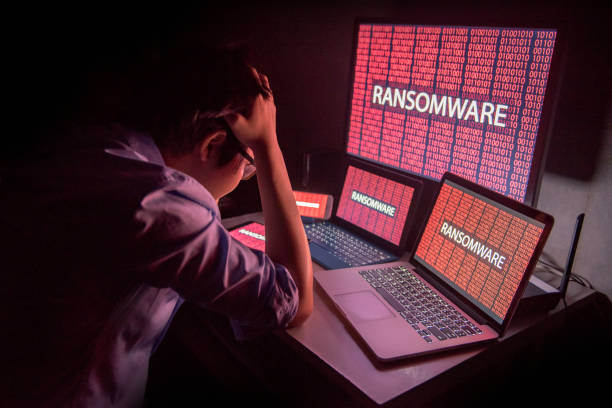
Most computer users fear that their computer will be infected and damaged by a virus as they store all their files, data, etc on their computer. Most of computer viruses are designed to harm your computer by damaging your software, hard drives, deleting programs, files, etc. It can also slow down your computer’s performance.
2019 is a big year for all computer users. There’s a lot in-store for us, in terms of software updates, new online games and programs that we will tempt to download or install.
We have searched the internet and found the most destructive computer viruses and where they came from:
- I LOVE YOU virus – this virus can be found in emails. You will get an email with a love letter attachment and once you open it, the virus enters.
- MyDoom virus – this virus was created in 2004. This virus can be very destructive as it will open the back door of your computer and uses Microsoft Windows platform to affect your computer.
- ZEUS – this virus started in 2009 and it is using Trojan horse to infect windows computer. This virus also uses phishing scams to infect and damage computers.
- MELISSA – this virus also be found in emails. User will receive an email with .doc file attachment and once the file has been opened the virus will spread like fire.
- CODE RED – this virus came from infected website and whoever visits the website will automatically receive the virus. This virus will directly damage your server.
- POISONIVY – this virus was created and founded in 2005 and will hit the security setting of your computer.
- CONFICKER virus – this virus was founded in 2008. This virus will directly hit the computers in the network. It uses operating system errors to infect the computer.
- AGENT.BTZ – this virus is also called Autorun and will damage and infects your USB flash drive.
- STUXNET – this virus was found in 2009 and targets the software control of any industrial systems.
Though, there are too many viruses that can damage your computer. There are also some preventive measures that we can do to protect our computer from being a target.
- Install an Antivirus software to your computer, we offer Webroot for our customers.
- Check the security settings of your computer and the browsers you are using.
- Install an Anti-Spyware software such as Malwarebytes.
- Use a secure password and do not share it to anyone. Tools like Lastpass can organize and protect your passwords for all the sites you use.
- Meticulously check the program or files that you want to download to your computer.
- Do not open any malicious emails. If you do not know where that email came from, do not click any link or even open the email itself.
It is very important that we keep our computers safe from viruses. Always take a precautionary measure when downloading any program. Think before you click as they always say. If you’re in doubt, call an I.T. expert to help you out. If you think your computer got infected by a virus, you better not take it lightly. Call an I.T. professional to apply the proper solution for virus related cases. General Technologies can give you a free consultation and quotation for any I.T. related services. Feel free to talk to our I.T. professionals and get only the best and quality service that you can rely on. We can be reached at (412) 990-1414 / info@gcchelp.com.
The post COMPUTER VIRUSES and WHAT YOU NEED TO KNOW… appeared first on General Computer Consulting, LLC.
]]>