The post A Guide In Deploying Security Awareness Training appeared first on General Computer Consulting, LLC.
]]>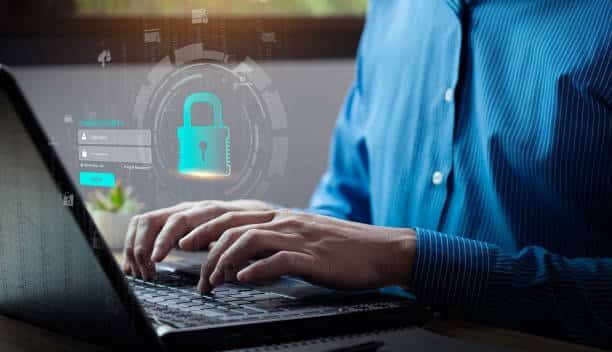
Security Awareness Training is a powerful, affordable secret weapon that empowers your business to defeat cybercrimes. It may not be an exciting solution to your cybercrime problems or it may not thrill you with the latest innovation but what you need to know is - IT WORKS!
An organization needs an assessment to be conducted and a training strategy should be developed and approved. This strategic planning document identifies implementation tasks to be performed in support of established business security training goals.
STEP 1: DEVELOP YOUR PROGRAM STRUCTURE TO FIT YOUR NEEDS
Every organization has a unique set of resources and limitations when designing the structure of a security awareness training program. Your company may be required to adhere a certain regulated procedures for cyber threats that are not required in other organizations. To determine what program structure your business needs, check out the following questions:
- Who has the skills to implement a program?
- Who has the bandwidth to handle this project?
- How will implementation work?
- Are there any barriers to consider that must be accounted for?
- How much funding do you have for the program?
STEP 2: CONDUCT A RISK ASSESSMENT
Determining your program’s strategy, requirements, and goals centered around knowing what risks you’re training employees to avoid and what compliance procedures you want them to follow. To assess your company, check out the following details below:
- List recent security incidents, their origin, and their consequences.
- Be sure to include security and compliance needs for everyone from interns to the C-suite in your assessment.
- Determine if there are unique needs for training employees or executives based on job type, duties, and risks.
- Review any existing assessments from regulators, oversight bodies, internal surveys, and similar tools.
STEP 3: DEVELOP YOUR TRAINING STRATEGY
This is the part where you gather all of the results of your research into a working document that systemizes your strategy. Be sure to include these elements:
- Available funding and resources, including people and technology, will be used in the effort.
- Your program’s exact, defined goals.
- Your target audiences, the composition of your training groups, how to document their feedback, and how to record their learning accomplishments.
- The courses or training types that are mandatory and optional for each group, how you will deliver them, and the measure of training.
- How you’ll wrap up a phase or program including evaluating training materials and procedures.
According to a study, 90% of cybersecurity professionals expect a dramatic increase in cybersecurity risk from new cybercrime technology. Providing your employees with a Security Awareness program will not only equip them, but most importantly they will become a big asset to your company in implementing cybersecurity.
Paul General, CEO/Cybersecurity Specialist, and his team at General Technologies have been providing cybersecurity assistance to small and medium-sized businesses. With the variety of cybersecurity programs we can offer, your business will get the best solution to your cybersecurity issues.
Plan your cyber strategy now! Contact us!
The post A Guide In Deploying Security Awareness Training appeared first on General Computer Consulting, LLC.
]]>The post CYBERSECURITY: IDENTITY THEFT appeared first on General Computer Consulting, LLC.
]]>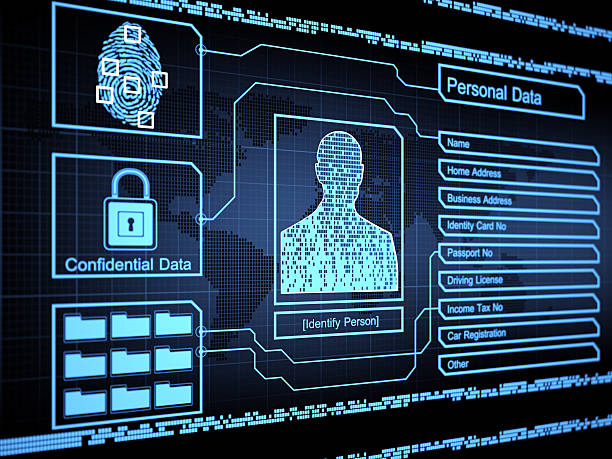
Identify theft is a crime in which attackers use personal or financial information from a victim to commit fraud and/or unauthorized access. Identity theft occurs in different ways where victims are left devastated by the damage not only to their finances but also to their reputation.
How does identity theft work?
- Identity theft is often linked to phishing or other social engineering attacks. Criminals use the victim's sensitive information to gain money or goods.
- There are several forms of identity theft, but the most common and dangerous is financial.
- Various cybersecurity tools and programs can help users keep track of their credit reports, unauthorized use of Social Security Numbers, and other financial activity.
- Recovering from identity theft is not a "walk in a park" scenario. According to The Federal Trade Commission (FTC), it takes roughly 6 months and 200 hours of work to recover from an identity theft.
Identity Workflow:
THE SCAM
A phishing attack that's designed to capture someone's password or other credentials.
THE GOAL
To acquire credentials that allow cybercriminals to log into company systems and applications. Highly privileged passwords that belong to administrators or executives are specially prized.
THE SETUP
Credential theft can happen through email, SMS text, instant messaging - even by phone. This slippery foe can wear many disguises like:
A message that directs the recipient to enter a password on a webpage
An alert that it's time to update your password
An inquiry about a password that's needed for a seemingly routine task
A notice that an app has changed, and you'll need to create a new account
THE DAMAGE
Cybercriminals use the stolen credentials to walk right in the front door of a company, enabling them to install malware, steal data, or gain access to systems without raising suspicion until it's too late.
Cybercrimes are not going away anytime soon. That is why our CEO and Cybersecurity Specialist - Paul General along with his team at General Technologies are continuously working to stay on top of these bad actors making sure that each company we're working with is fully protected from any form of attacks.
Get your cyber strategy in line now! Contact us today!
The post CYBERSECURITY: IDENTITY THEFT appeared first on General Computer Consulting, LLC.
]]>The post Firewall Management appeared first on General Computer Consulting, LLC.
]]>
WHAT IS FIREWALL?
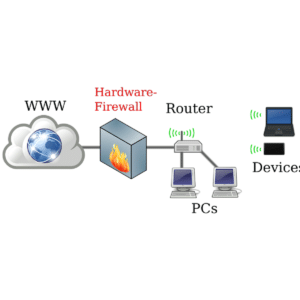
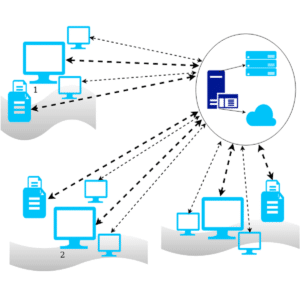
Firewall is a network security device that is designed to monitor unauthorized access to or from the private network. It can be hardware or software. Firewalls prevent unauthorized users from accessing private networks connected to the internet. It provides a barrier to control network traffic. The most important use of a Firewall is to protect your computer or the network from being attacked by internet hackers, viruses, and worms.
FIVE TYPES OF FIREWALLS:
- Stateful inspection firewalls evaluate network traffic to determine whether one packet is related to another packet.
- Next-gen firewalls use a multilayered approach to consolidate enterprise firewall capabilities with an IPS and application control.
- Packet filtering firewalls evaluate data packets in isolation and don't know the packet's context.
- Application-level gateways inspect packets at the application layer of the Open Systems Interconnection (OSI) reference model.
- Circuit-level gateways provide security by monitoring TCP handshaking between packets from trusted clients or servers to untrusted hosts and vice versa.
ADVANTAGES OF FIREWALL SECURITY:
- Easy installation procedure
- Companies can easily manage websites that can be accessed by employees. Automatically blocking the user from accessing other websites except for the ones provided by the company.
- It can block suspicious IP addresses.
- Protects network from viruses and worms
- It controls the traffic in and out of the network.
- It blocks other computers from accessing programs installed in your computer or network.
- It protects your wireless network (WiFi)
LIMITATIONS OF FIREWALL SECURITY:
- A firewall cannot stop users from access inaccessible websites when they are using malicious codes.
- It cannot prevent users or attackers when they are using a modem if they are dialing in to or out of the internal network.
- A firewall cannot protect a network that is lacking security systemsor measures.
- It cannot always protect your network from h As hackers don’t just attack malware or trojans – they know where exactly to get into your computer or network thus, bypassing the firewall.
FIREWALL VENDORS:
There are different types of firewalls - features and vendors available to choose from based on what your network needs.
- Cisco Firepower Series is an integrated suite of network security and traffic management products, deployed either on purpose-built platforms or as a software solution.
- Barracuda CloudGen Firewall offers a comprehensive set of next-generation firewall technologies to ensure real-time network protection against a broad range of network threats, vulnerabilities, and exploits, including SQL injections, cross-site scripting, denial of service attacks, trojans, viruses, worms, spyware, and many more.
- Fortinet FortiGate combinesthe functionality of traditional firewalls with deep packet inspection (DPI) and machine learning to bring enhanced protection to your network.
- SonicWall Network Security appliance Series provides organizations that range in scale from mid-sized networks to distributed enterprises and data centers with advanced threat prevention in a high- performance security platform.
- Sophos XG Series provides unprecedented visibility into your network, users, and applications directly from the all-new control center.
STEP BY STEP GUIDE TO FIREWALL CONFIGURATION:
Step 1: Secure your firewall. Update your firewall to the latest firmware.
Step 2: Architect your firewall zones and IP addresses. Plan out your network structure so that these assets can be grouped together and placed into networks (or zones) based on similar sensitivity level and function.
Step 3: Configure access control lists Make your ACLs specific to the exact source and/or destination IP addresses and port numbers whenever possible. At the end of every access control list, make sure there is a “deny all” rule to filter out all unapproved traffic. Apply both inbound and outbound ACLs to each interface and subinterface on your firewall so that only approved traffic is allowed into and out of each zone.
Step 4: Configure your other firewall services and logging. Configure the services you wish to use. Disable all the extra services that you don’t intend to use.
Step 5: Test your firewall configuration. Don’t forget to verify that your firewall is blocking traffic that should be blocked according to your ACL configurations. Testing your firewall should include both vulnerability scanning and penetration testing.
Always remember that network security such as Firewall is there to help us protect our computer network. Businesses should think of security measures that are suitable for the company in order to protect their assets. This is where General Technologies, led by Paul General, CEO/Cybersecurity Specialist comes in. We have various cybersecurity program that suits any business size.
Contact us at 412-853-3708 or email us at info@gcchelp.com.
The post Firewall Management appeared first on General Computer Consulting, LLC.
]]>The post Data Backup.. Why it is important? appeared first on General Computer Consulting, LLC.
]]>
Have you ever lost a file from your computer? Have you experienced losing your data due to a sudden computer breakdown?
Family photos, medical records, bank transactions - these are just a few of the data examples that we usually store on our computer. Oftentimes, we become complacent in just storing our files inside our computer's hard drive, and we are not paying attention to its need to be backup.
WHAT IS DATA BACKUP?
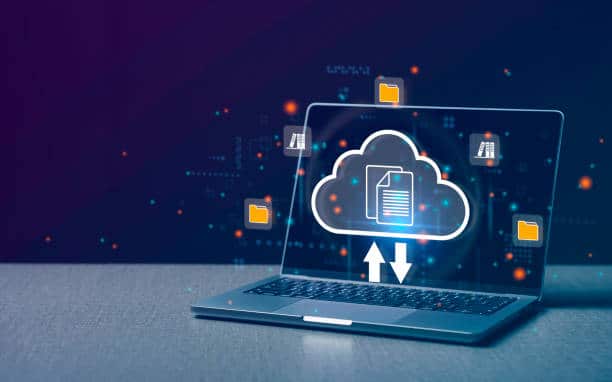
A data backup is a copy or stored data in your devices such as computers, mobile phones, or tablets. Data Backup is used to regain access to information or files in the event of unexpected data loss.
Data loss can occur at any time and in several forms. Data loss can happen in situations like hard drive failures, malware and ransomware attacks, user error and/or physical theft.
WHY DATA BACKUP IS IMPORTANT
The primary reason for data backup is to have a secure and safe location of your files and other important documents where you can retrieve them at any time especially in the event of data loss.
In addition to these:
113 phones are lost or stolen every minute. (Source: World Backup Day)
Over 70 million cell phones are lost each year. (Kensington)
WHAT DATA SHOULD YOU BACKUP?
- Photos
- Videos
- Financial reports/transactions
- Music
- Contacts/Address books
- Documents
- Spreadsheets
BACKUP SOLUTION OPTIONS:
- Removable media
- External hard drive
- Cloud storage
- Backup services
Backing up your data will give you peace of mind knowing that your files are safe. General Technologies, led by Paul General, CEO / Cybersecurity Specialist is providing managed services which includes a backup program that will be beneficial for businesses of any size.
Contact us to learn more!
The post Data Backup.. Why it is important? appeared first on General Computer Consulting, LLC.
]]>The post Don’t Rely On Luck! Secure Your Data! appeared first on General Computer Consulting, LLC.
]]>
In today’s busy technology, data is the heart of every organization. No matter how big or small your organization protecting and securing data is vital. Securing data is your ticket to gaining customers’ trust, and business growth, and preventing costly data breach incidents.
What is Data Security?
Data security refers to the protection of sensitive information against unauthorized access, alteration, disclosure, or destruction. Having strong data security measures in place is crucial for each organization. This will ensure effectiveness, business compliance, business continuity, and data breaches.
You don’t need a four-leaf clover to protect your data. Cybercrime rates are skyrocketing and cybercriminals are getting hungrier to get your pot of gold.
7 Tips To Secure Your Business Fast:
- Use Multifactor Authentication – This tool can stop up to 99% of password-based cybercrime.
- Increase Security Awareness – Companies with regular training experience 70% fewer cybersecurity incidents.
- Build Your Cyber Resilience – 51% of businesses experienced disruption from cyberattacks. Make sure backup policies are deployed for all your business data and test your recovery strategy at regular intervals.
- Don’t Get Tricked by Phishing – More than 80% of all cyberattacks are phishing-based. Implement an email security solution that will identify and quarantine phishing emails before they get to employee’s inboxes
- Practice Good Password Habits – 81% of data breaches are caused by poor password security. Ensure your staff knows and follows strong password practices.
- Avoid Unpleasant Surprises – Over 60% of the information on the dark web can harm business. Put a dark web monitoring solution in place and get alerted when compromised credentials are found.
- Beware of Third-Party and Supply Chain Risk – About 60% of data breaches are caused by third-party or supply chain vulnerabilities. To minimize risk, use a dark web monitoring service to keep tabs not just on your business credentials but also on those suppliers and partners.
Protecting and securing your confidential data is the fundamental solution to keep your business away from cybercriminals. It is your business’ responsibility to protect the data that was entrusted to you by your customers. Following the 7 tips we have provided will give you the edge and peace of mind that you are doing the right thing in protecting your data. Paul General, CEO and Cybersecurity Specialist along with his team at General Technologies will continue its campaign and promote Security Awareness to businesses in all aspects.
To learn more about cybersecurity strategy, CONTACT US TODAY!
The post Don’t Rely On Luck! Secure Your Data! appeared first on General Computer Consulting, LLC.
]]>The post How to keep your data private and secure appeared first on General Computer Consulting, LLC.
]]>Below are some tips we can share with you to keep your data private and secure…
1. Always use a strong and complex password
Every time that there’s a need to set up a password for the sites or apps you’ll be using, make sure to create a strong and complex password. This is the most important thing you have to remember – do not use your name, birthday or anything that can be easily guessed. Use a letter, number, and special character combination in setting up your password. You can also use a password manager like “LastPass” to keep all your passwords in one place and to prevent you from forgetting your password.
2. Stay alert from online scams
Always keep an eye on those marketing ads or links that you may see online. Make sure that you are making transactions in secure, legitimate, and reputable sites. Do not disclose your personal information to someone you just met online or to someone you do not trust.
3. Encrypt your data
Encrypting your data is the most secure way when you’re online. Always keep your browser secure. Check for the “lock” icon that is placed at the status bar – it is placed right before the URL. If the “lock” icon is missing, it only means that your information is not secure and it is not advisable to do any transaction online that needs your personal information.
4. Do not post your private information on Social Media sites
Refrain from posting your private information on social media sites like Facebook, Instagram, Twitter, etc. Do not post your identification card, driver’s license, atm cards, and so on.
5. Keep your mobile device secure
As we all know, most of the things you can do using your computer can also be done on mobile devices especially smartphones. Therefore make sure that your mobile device is also secure. Do not keep your passwords on your device.
6. Do not deal on Phishing and Spam emails
Avoid getting through these kinds of emails. The sender of these emails is targeting you to get your personal information. Do not open suspicious and unfamiliar emails and most importantly, do not click any email links or attachments from an unfamiliar sender.
7. Be wise in using WiFi
Do not make any financial transactions or deals when you are using public WiFi. Public WiFi is the most vulnerable to cyber threats. Lessen your internet usage when using public WiFi.
SUMMARY:
You can say that your personal information is the most sensitive data that you have to protect whenever you are using the internet. Cybercriminals like hackers and scammers are always there, just waiting for the perfect time and right target. Stay alert and “Think before you click.”
General Technologies provides the best and most reliable I.T. service in town.
To get a free service quotation, talk to our I.T. professionals NOW! You can call us at (412) 990-1414 or simply send us an email at info@gcchelp.com.
General Technologies – “Your total outsourced I.T. solution”
“We do I.T. so you don’t have to”
The post How to keep your data private and secure appeared first on General Computer Consulting, LLC.
]]>The post What are the most common threats to data security? appeared first on General Computer Consulting, LLC.
]]>But what are the threats you should be aware of? Here’s the list of the most common threats to data security.
1. HACKERS
Yes, hackers are the number one threat to your data security. These hackers want to steal your data by means of copying, selling it to the blackmarket, accessing, and/or corrupting your data.
2. VIRUS
This is the most common and popular type of threat. Since the computer has been invented so has the virus. From day one of the computer age, the virus seems to be like a villain. The virus can infect your computer which can cause data being corrupted and/or deleted before you know it. Good thing is that there’s a lot of anti-virus software that can prevent your computer from getting any virus.
3. SPAM EMAILS
Spam email is a form of an email that is used by the person or group of people who would like to steal your data or cause damage to your computer that may result in data loss. These emails are also called unsolicited emails that are sent in bulk and in most cases it contains malicious links or images. Therefore most email providers have added a setting that will allow the user to block spam emails to minimize these spam emails.
4. MALWARE
Malware is one of the most common threats that every user should literally be aware of. Malware is software designed specifically to gain access to your computer without your permission. Once malware gains access to your computer, your data is in big, big trouble. Installing an anti-malware software to your computer is your best defense against it.
5. PHISHING
Phishing is a threat in the form of an email. So, what is the difference between PHISHING and SPAM? Phishing is a form of an email that looks legitimate but it is not. The attacker will send an email to deceive the user and be able to get the user’s sensitive information such as name, financial information, etc.
PRECAUTIONARY MEASURES:
- Do not open malicious or suspicious emails, email attachments, and links.
- Install and regularly scan your computer using your anti-virus software.
- Be cautious in downloading software, apps or files.
- Only visit legitimate and reputable websites
- Never give out your personal information online (if in doubt).
- Make sure that you are using a secured site when shopping online. Always remember to check the URL, it should have the letter “s” in https://.
Should you need an I.T. professional to set up security software for your computer or network system, please contact our team.
We can be reached at (412) 990-1414 or send us an email at info@gcchelp.com for immediate assistance.
General Technologies – “Your total outsourced I.T. solution”
“We do I.T. so you don’t have to”
The post What are the most common threats to data security? appeared first on General Computer Consulting, LLC.
]]>The post Who needs CYBERSECURITY? appeared first on General Computer Consulting, LLC.
]]>The question now is: WHO NEEDS CYBERSECURITY?
First off, cybersecurity is a type of software that will protect all internet-connected devices, systems, data, and software against cyberattacks. Cybersecurity is a must as you need your data protected. Cybersecurity is imperative in businesses. Regardless of the company’s size, cybersecurity is indeed one of the important parts of their network. In most cases, cybercriminals attack small to medium-sized businesses. They tend to do so because of the lack of security measures that protect and guard their network system which make it quite easy for them to grab and steal a business’ sensitive data.
Why is it important?
The explanation of why it is important is quite simple; it is to safeguard your business from internet-based criminals. Cybersecurity will protect your business from data breach/loss, computer damage and/or network/system damage.
A business that has a strong and stable cybersecurity system that will make them a hard target. Establishing a strong and stable cybersecurity system will save your business from cyber-attacks.
Cybersecurity benefits
- Secured data and network system
- Preventing unauthorized access to sensitive data
- Increases recovery time after a data breach
- Increases business reputation and stability
- Protection of your network from cyberattacks such as malware, ransomware, phishing, etc.
SUMMARY:
Businesses are the ones vulnerable from cyber attacks, therefore cybersecurity enhancements and improvements should always be the IT priority. Cybersecurity can protect your assets and saves you hundreds of dollars and your company too. It is an investment that is worth every penny of your business.
For Cybersecurity inquiries, we have different packages that will surely fit your business needs. Feel free to contact us and we’ll be more than happy to set up a quick meeting with you to discuss further.
Call us at (412) 990-1414 or email us at info@gcchelp.com.
General Technologies – “Your total outsourced I.T. solution”
“We DO I.T. so you don’t have to”
The post Who needs CYBERSECURITY? appeared first on General Computer Consulting, LLC.
]]>The post The benefits of Cloud Storage appeared first on General Computer Consulting, LLC.
]]>But, aside from storage, what else do we get in using Cloud Storage?
1. Security
Aside from storage, the next big thing in having cloud storage is data security. Cloud storage protects your data using a system that safeguarded it against cyber threats or hardware failure. It also does its own backups to make sure that your data is safe.
2. Accessibility and Convenience
Cloud storage can be accessed anytime and anywhere as long as you have an internet connection. It is a lot more convenient for users to get the data or store data in it. And since cloud storage is very accessible, in times of data loss, you can easily grab your data through the cloud service.
3. Sharing ability
Since cloud storage is an online system, you can easily share the data or files by giving access to your employees, clients, and others in a secure way.
4. Affordability
Many would think that getting cloud storage is quite an expensive investment. But little do they know that it is actually less expensive than getting an external storage device.
5. Data Recovery
Data loss due to natural disaster, human error, hacking, and/or hardware failure is something that is really unexpected. Data loss means business loss. Data is a very important and sensitive part of the business and should always be available at all times.
SUMMARY:
In the latest technology trends having an online backup or cloud storage had such huge benefits. It is something that is recommended nowadays. Investing in cloud storage is not only taking advantage of its benefits but most importantly is the security of the data you are holding on.
General Technologies offers different Cloud Services to small to medium-sized businesses. For questions and quotes, please contact us through the following channels:
Phone: (412) 990-1414
Email: info@gcchelp.com
Facebook/Instagram/Twitter: @GCCHelp.com
General Technologies – “Your total outsourced I.T. solution”
“We DO I.T. so you don’t have to”
The post The benefits of Cloud Storage appeared first on General Computer Consulting, LLC.
]]>